Connect tools and distribute content
Inoreader helps you discover, collect, organize, and analyze information, but its power doesn’t stop there. With a Pro plan, you can also connect Inoreader to external services and automate what happens to content beyond your account.
Through integrations with tools like IFTTT, Zapier, and n8n, output feeds and programmatic API access, Inoreader becomes part of a broader automation ecosystem. You can automatically share articles, move content between apps, trigger workflows, or distribute information exactly where it needs to go without manual effort. These integrations give you full creative control over how your content flows, helping you save time and boost productivity.
IFTTT
IFTTT (If This Then That) is a popular automation platform that lets you connect apps and services using simple workflows, called recipes. Inoreader’s IFTTT integration makes it easy to automate everyday tasks and content distribution. Once connected, you can browse ready-made recipes for inspiration or create your own workflows in just a few clicks.
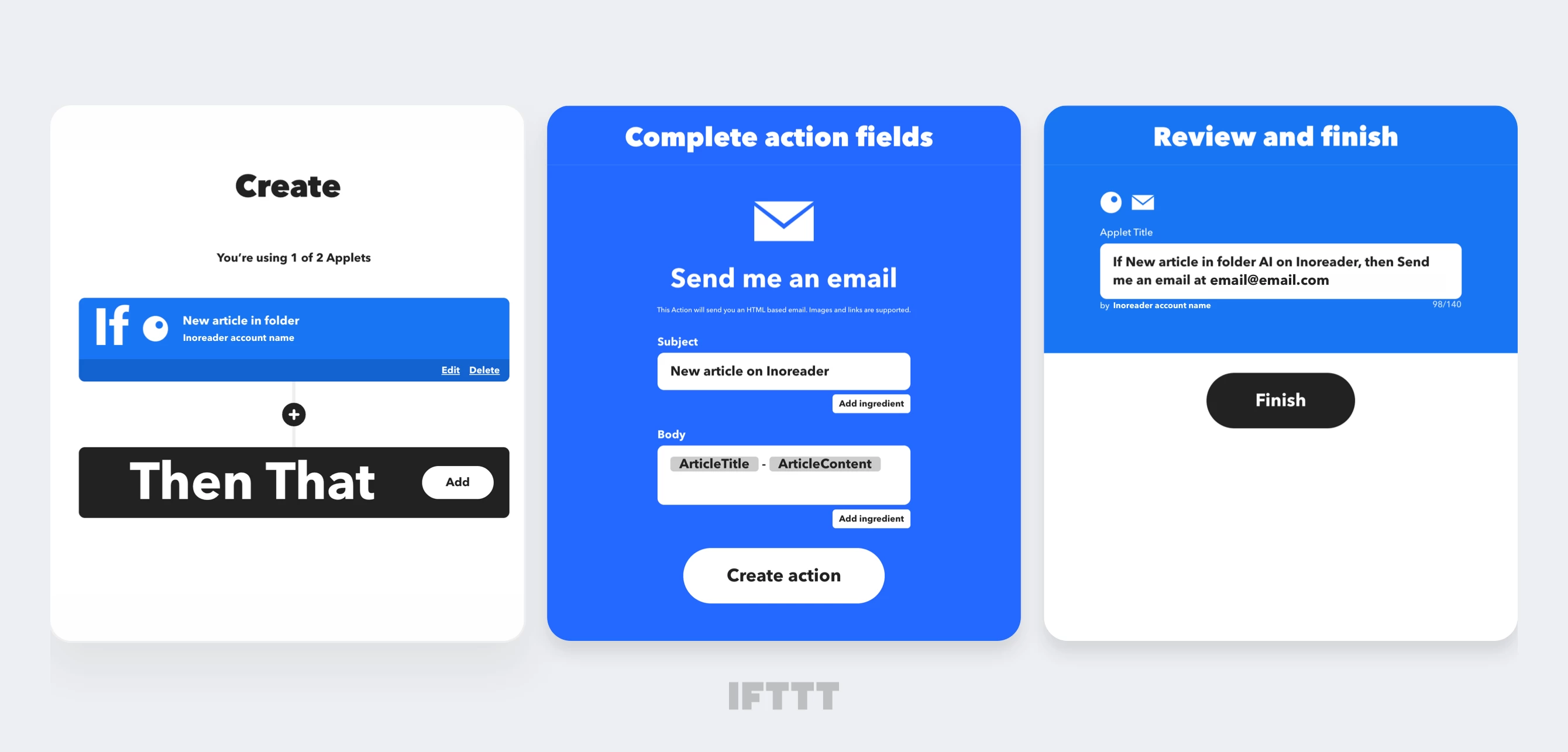
IFTTT supports hundreds of services, including social media platforms, note-taking tools, mobile notifications, and productivity apps. When combined with Inoreader, you can:
- Automatically share new articles with a specific tag to social media
- Send saved web pages to note-taking apps like Evernote or OneNote
- Keep a dynamic list of your followed feeds in a Google Drive document
It’s a simple way to keep your content moving without adding complexity to your workflow.
Zapier
Zapier is another powerful automation tool that connects thousands of business and productivity apps through event-based workflows called Zaps. No coding or technical setup is required. By integrating Inoreader with Zapier, you can create advanced automations that connect your reading and research directly to the tools you already use.
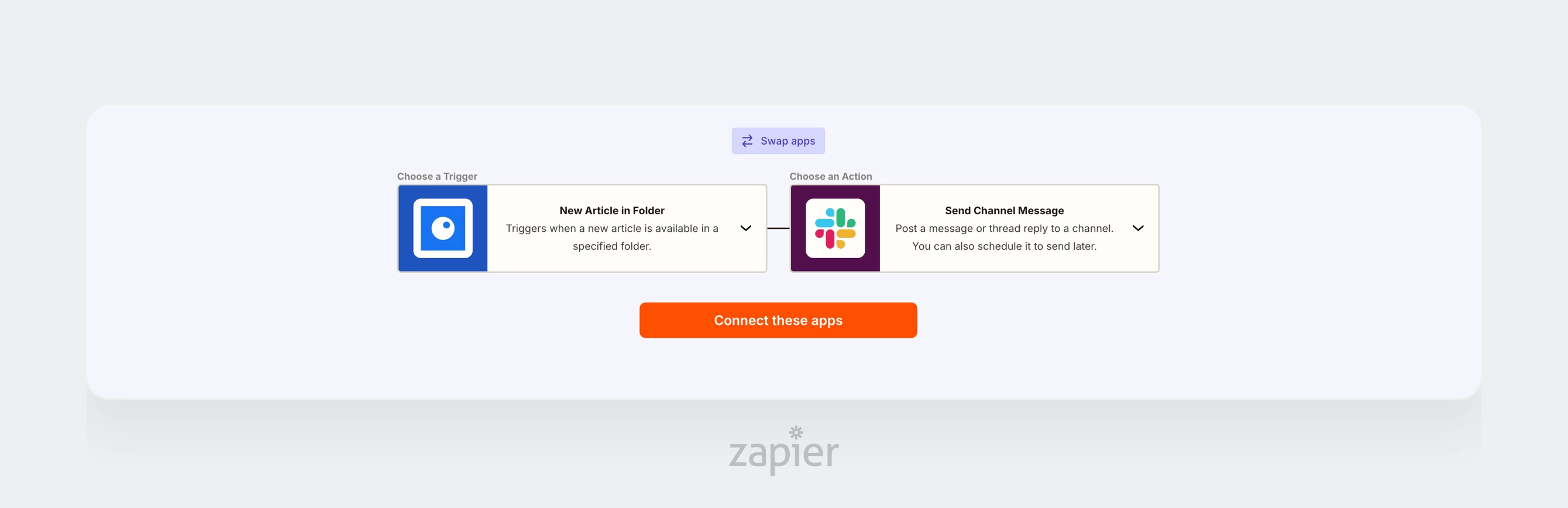
With Zapier, you can:
- Send saved articles from Inoreader to tools like Buffer or Instapaper
- Automatically push content from Inoreader to Slack, Gmail, or MailChimp
- Bring content into Inoreader by saving YouTube videos as articles with a specific tag
Zapier is a great fit for teams, marketers, and researchers who want Inoreader to integrate seamlessly into their existing workflows.
n8n
n8n is a flexible automation platform that lets you build fully custom workflows while keeping complete control over your data and infrastructure. Using its visual editor, you can design complex automations by connecting different apps and services without writing code.
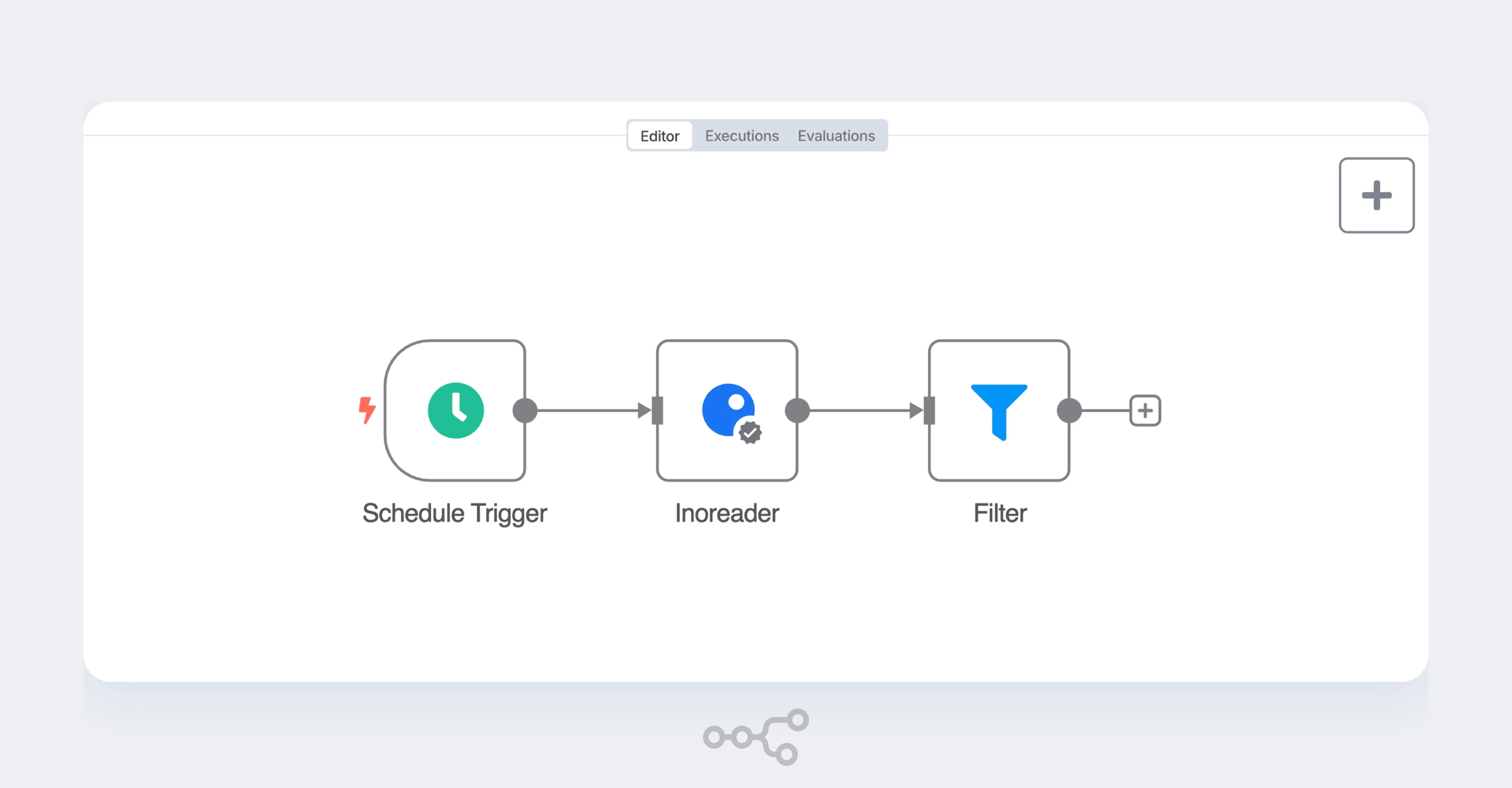
Inoreader offers a verified n8n node, allowing your feeds, folders, and articles to become part of powerful, custom workflows.
With the Inoreader node in n8n, you can:
- Add tags to articles
- Save articles to Read later
- Create external articles and store them in Inoreader
- Fetch articles from specific feeds, folders, tags, or your Read later list
- Retrieve all feeds, folders, and tags from your account
Inoreader can act as a source, trigger, or action in your workflows, giving you precise control over how information is processed and distributed across your systems.
Output feeds
Output feeds let you share curated content from Inoreader as external feeds that can be consumed by other tools, platforms, or people.
You can generate output feeds based on specific tags or folders in your Inoreader account. These feeds update automatically as new content comes in, making them ideal for syndication, dashboards, internal tools, newsletters, and further automation with external services.
To create an output feed, open a folder or tag’s properties, enable output feeds, and select your preferred format.
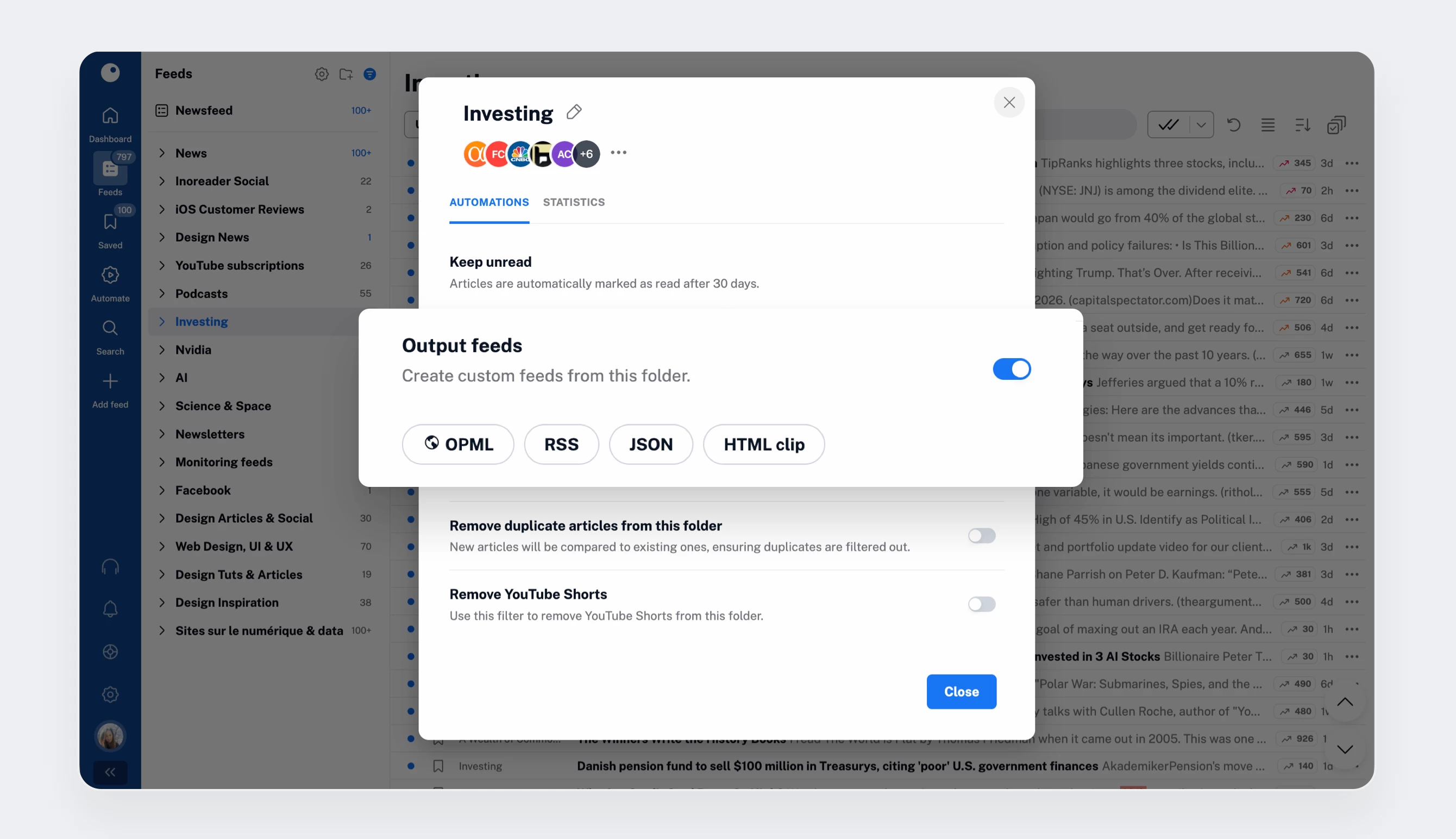
Output feed formats and use cases
Different formats are optimized for different scenarios:
- OPML
Available for folders or your entire account. Ideal for keeping your feed collection in sync with another service.
- RSS / JSON
Standard feeds combining sources curated and filtered by you. Universally supported and natively compatible with tools like WordPress and Mailchimp. Quick to set up and easy to reuse, with full support for the newer JSON Feed standard.
- HTML clips
Human-readable, auto-refreshing lists of curated content. Great for presentation and distribution in SharePoint, intranets, portals, or embedded directly on websites.
Once generated, simply paste your feed wherever you need it and let Inoreader handle the rest. Feed data is cached and refreshed every 30 minutes. For more frequent updates, you can contact us about our Enterprise API.
Programmatic API access
With our API, developers in your organization can turn Inoreader into an information backend. Use the content you curate (and that Inoreader gathers and filters) to power internal systems with structured, near-real-time data updates. The Pro plan includes a limited number of API calls, and higher quotas are available with a Custom plan – just get in touch to learn more.
Build workflows that work for you
Connecting Inoreader to external systems unlocks a new level of productivity. With integrations, output feeds, and programmatic API access, you can automate content distribution, eliminate repetitive tasks, and ensure information flows exactly where it’s needed without manual intervention.
This brings us to the end of our Pro onboarding series. Along the way, you’ve learned how to:
- Discover and monitor content
- Follow a wide range of sources
- Save time with automations
- Consume content in flexible ways
- Get quick insights with Inoreader Intelligence
- Distribute and automate content using integrations
If you ever need help, you’ll find guides, tutorials, tips, and support directly in the Support tab in your account.
Thank you for choosing Inoreader and for building your own newsfeed with us! 💙