Can I follow YouTube channels and playlists in Inoreader?
Yes, on every plan. Click Add feed in the tab bar, paste the channel's or playlist's YouTube address into the Website search, and click Follow. Each new video then arrives as an article with YouTube's player. Pro adds syncing your YouTube subscriptions and the Shorts filter.
Follow a channel or a playlist
- Click Add feed in the tab bar. The Website page opens.
- Paste the channel's address, such as https://www.youtube.com/@NASA, or a playlist address such as https://www.youtube.com/playlist?list=..., into the search box and press Enter.
- Click Follow next to the channel in the results below the box. The button changes to Following.
- To put the channel in a folder, open Following > Add to folder.
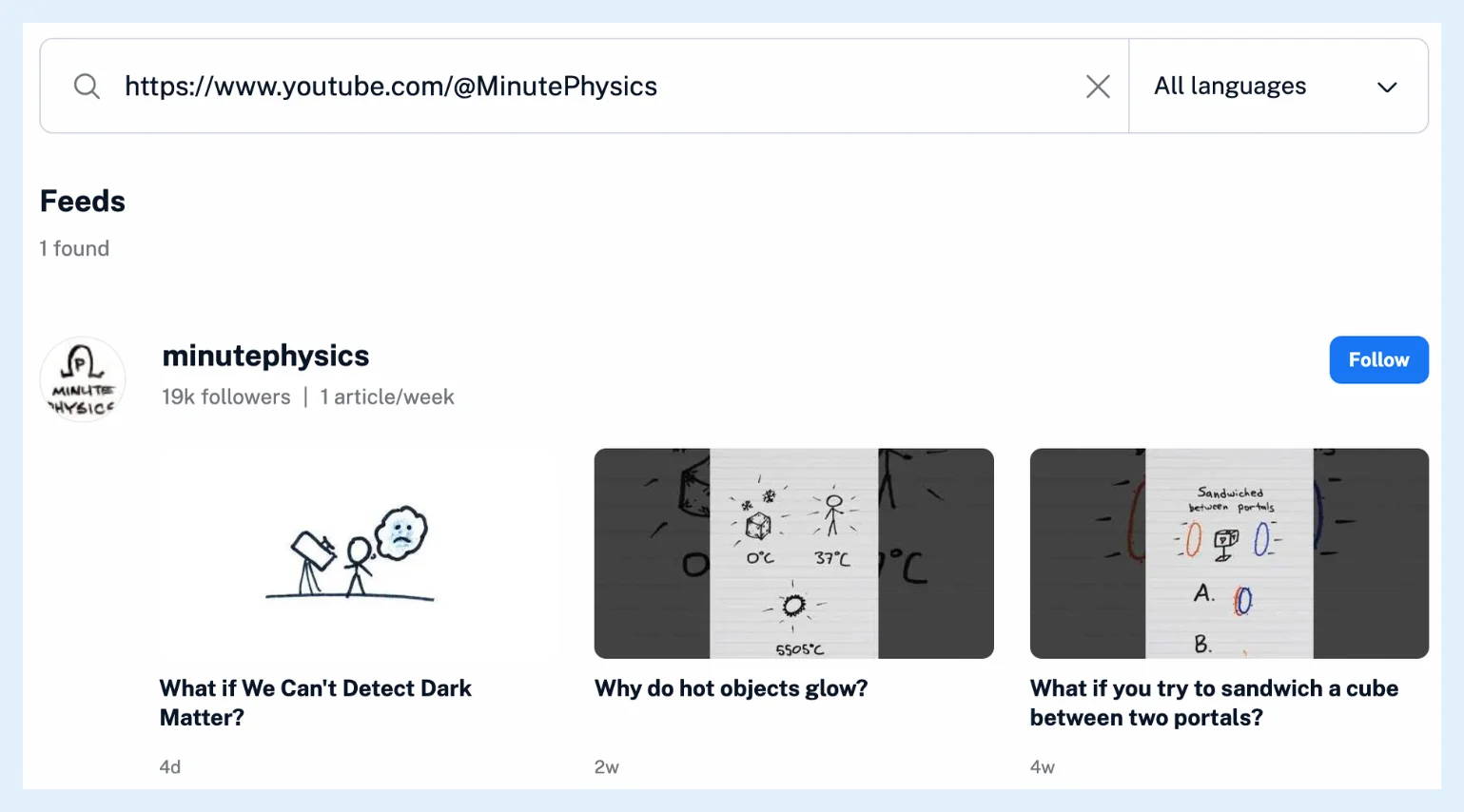
Inoreader recognizes channel addresses with a handle, a channel id or a user name, and playlist addresses. There's no separate YouTube entry in the Add new list: a channel is followed like any other website. After a YouTube follow, a dialog offers to sync your YouTube subscriptions until you turn the sync on or decline it. Give it a try opens the setting and No Thanks closes it.
Read videos in Inoreader
Videos arrive as articles, and the web app shows YouTube's player with each one. Shorts carry a Shorts icon in the article list. A video you save to Read later reopens paused where you stopped, and the Read later list shows the time left, such as "Resume (12 min left)". YouTube notifies Inoreader when a channel uploads, and Inoreader checks the channel's feed over the next 25 minutes, because YouTube lists a new video in the feed a little after the notice. YouTube's channel feeds stop answering for a few hours on most days and come back on their own, so a channel that shows errors for an afternoon needs no action.
YouTube channels work with folders, filters, rules and search like other feeds. With Pro, podcast and video enhancements add a transcript, topics and an article version of each video, announced in Podcast and YouTube video updates.
Plans and limits
Following channels and playlists is free, and each one counts toward your feed limit: 150 feeds on Free, 2,500 on Pro. With Pro you can also sync your YouTube subscriptions into a folder and hide YouTube Shorts from your folders. Follow YouTube channels in your RSS reader has the overview.
Can't find an answer? Contact support