How do I start receiving a digest?
Ask the person who manages the digest to add your email address. You then get an invitation email, click Subscribe now in it and confirm with Sign me up. Issues reach you from the next one that goes out, and you don't need an Inoreader account.
Accept the invitation
- Ask the digest's manager to add your address under Manage recipients and click Save.
- Open the invitation email and click Subscribe now.
- On the page that opens, click Sign me up.
The invitation comes from Inoreader at [email protected] with the subject "Anna Petrova has invited you to subscribe to their Weekly news digest". The page confirms with "You've successfully subscribed to the Weekly news digest!" and the digest's creator is notified that you subscribed. The link in the invitation works once: if you can't find the email, ask the manager to click Resend invite next to your address, and check your spam folder for mail from [email protected]. Why has an email digest not arrived? lists the other things to check.
An issue holds the articles that arrived after the previous issue, so you start with the next issue and past issues aren't re-sent. If you're already subscribed to another digest from the same creator, a new one reaches you at once, without an invitation. To stop receiving a digest later, use the unsubscribe link in any issue, as Can I unsubscribe from a digest? explains.
Add recipients to your own digest
Recipients are added by the digest's creator or, for a team digest, by a Team admin.
- Open the ⋯ menu on the digest card and click Manage recipients, or click the "1 recipient" link on the card.
- Type the address under Email address and click Send invite.
- Click Save.
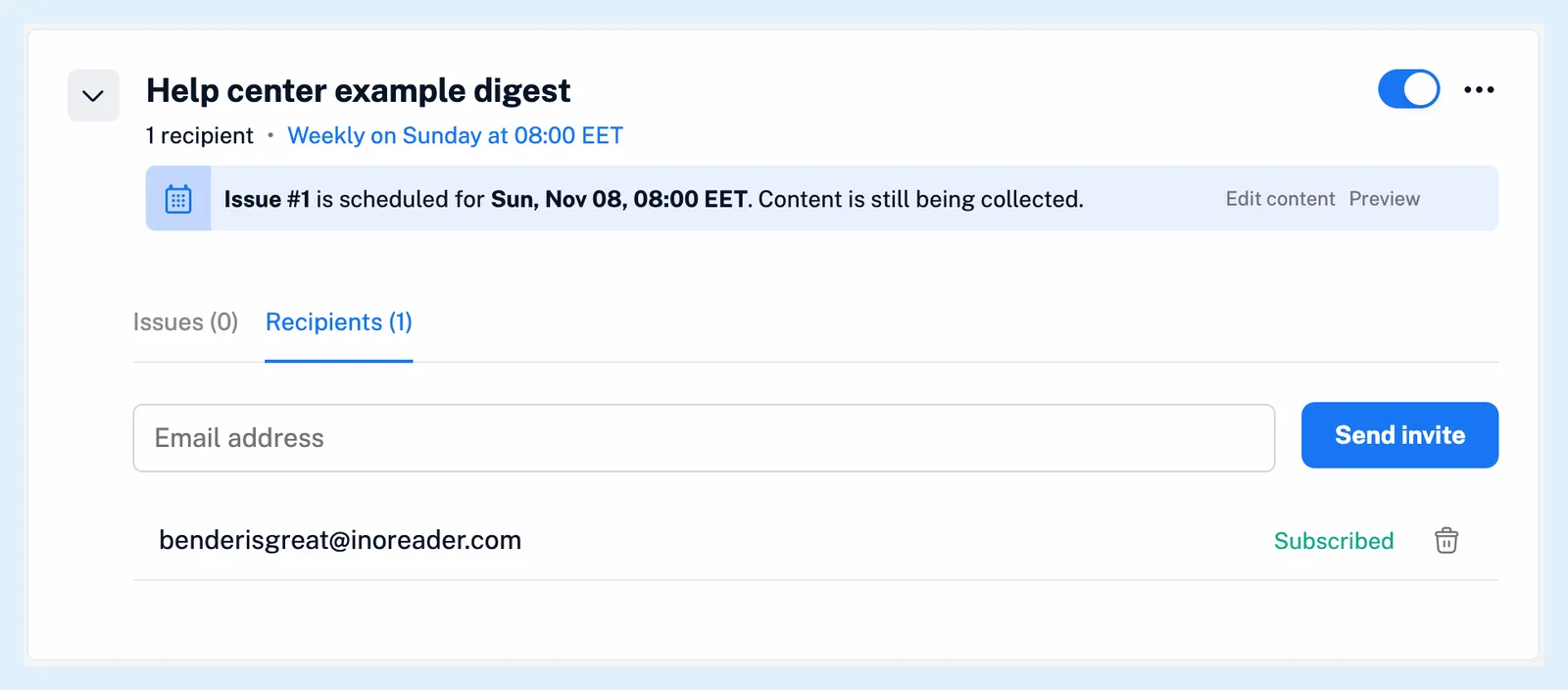
The invitation is emailed when you click Save. Only subscribed addresses receive issues, and a pending invitation gets nothing. Your own address is subscribed automatically when you create the digest. Team members who aren't admins can see a team digest's recipients but can't add any. What is an email digest? describes what the recipients will get.
Plans
Receiving a digest needs no plan and no account. Sending one needs a Team plan or the Email digests add-on on Pro and Custom plans, as the Email digests page explains.
Can't find an answer? Contact support