Sign in with passkeys

Passwords are easy to forget, verification codes can slow you down, and signing in across devices isn’t always seamless. That’s why we’ve added a new way to access your Inoreader account with passkeys.
Passkeys let you sign in quickly and securely using the authentication already built into your device, such as Face ID, Touch ID, or Windows Hello. No passwords to remember, no verification codes to enter – just a faster, more seamless sign-in experience.
What are passkeys?
Passkeys are a modern authentication method designed to make sign-ins both more secure and easier to use. Instead of relying on passwords, they use cryptographic credentials stored securely on your device and protected by biometric authentication or your device PIN.
They’re resistant to phishing attacks, eliminate the need for one-time authentication codes, and work across devices thanks to secure syncing through services like password managers and device ecosystems.
In most cases, if your device supports biometric authentication and you’re using a recent version of your browser, you’re ready to use passkeys.
Passkeys are becoming increasingly supported across the web and are expected to play a major role in the future of online authentication, making this a great time to start using them.
Set up passkeys in Inoreader
To get started, head to Preferences > Account, where you’ll find the new Passkeys section.
From there, you can:
- Add a new passkey
- Rename existing passkeys
- Delete passkeys you no longer use
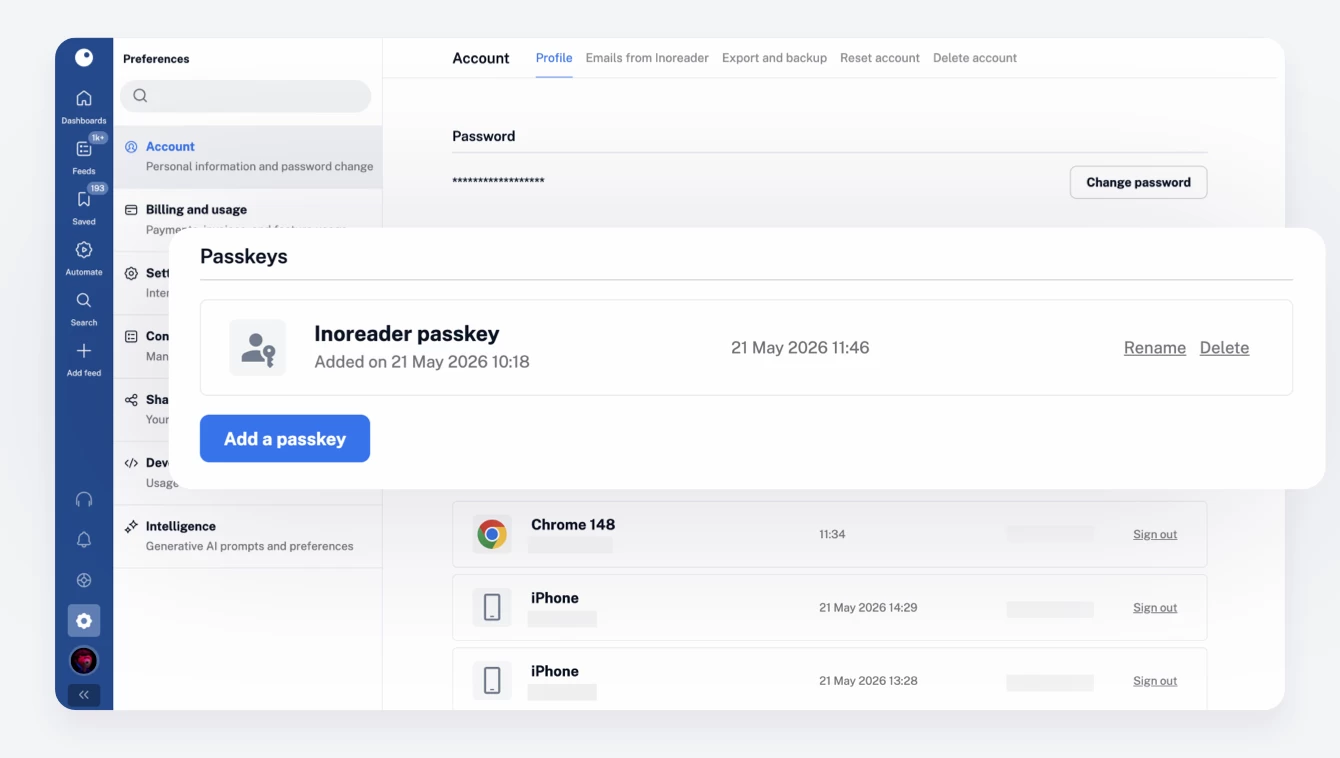
Inoreader will only show passkey-related functionality if your device and browser support it. Passkey sign-in is available to all Inoreader users in the web app, with support for other platforms planned for the future.
Signing in with a passkey
Once you’ve added a passkey to your account, you’ll see a new Sign in with a passkey option on the login screen, alongside the traditional email and password form. This gives you the flexibility to choose the sign-in method that works best for you.
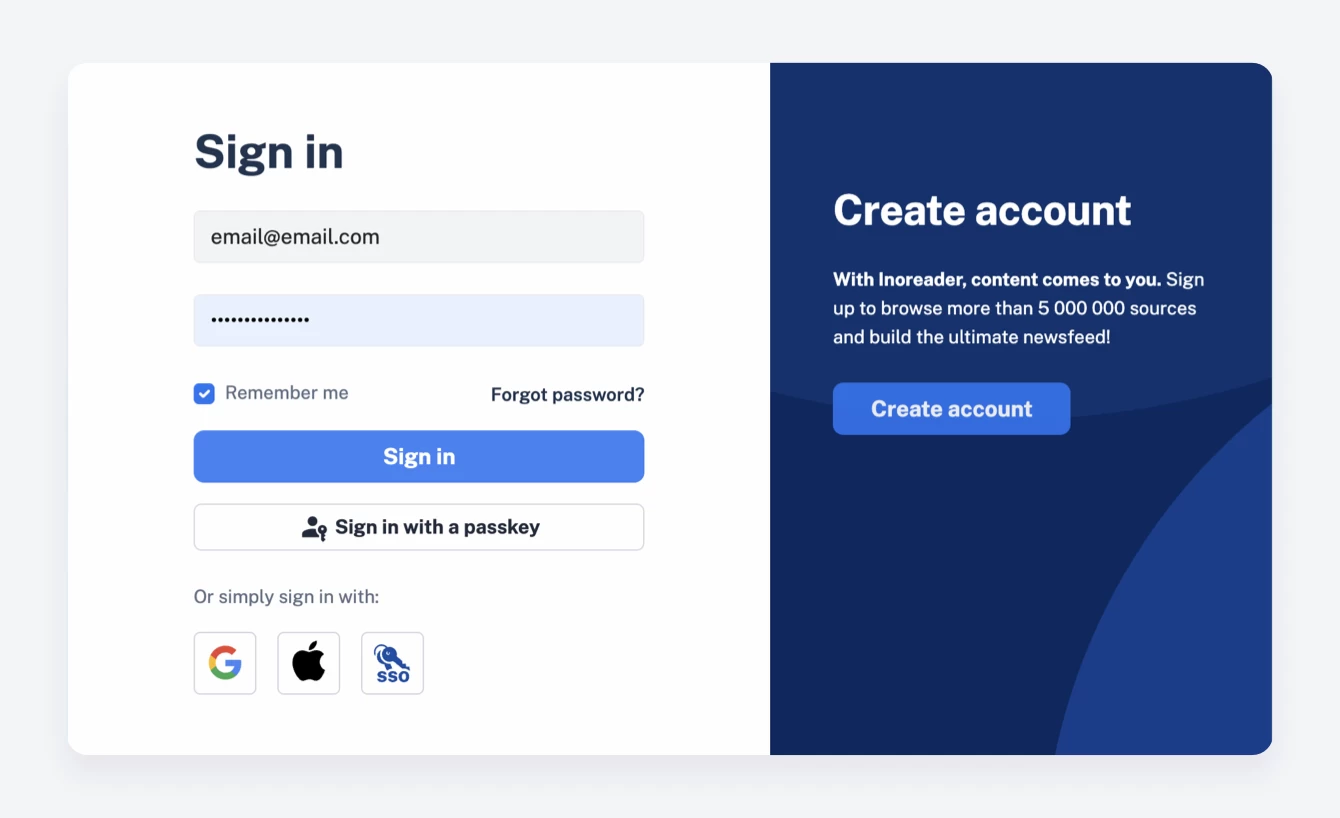
After you successfully sign in with a passkey on a supported browser, future logins become even smoother. When you sign out, you’ll see a simplified passkey sign-in screen that helps you get back into your account in a single step.

Need to switch accounts or prefer another sign-in method? No problem, you can always return to the standard login form whenever needed.
A few things to keep in mind
- You can add multiple passkeys to your account.
- Passkeys can be used across multiple Inoreader accounts.
- Passkeys currently work as an additional sign-in method, not a replacement for your password.
- You’ll still need a traditional login method for account creation and recovery.
Ready to give passkeys a try?
If you’re looking for a faster, smoother, and more secure way to sign in, passkeys are a great place to start. Add one to your Inoreader account today and enjoy password-free access across your devices!