Can I filter search results?
Yes. Every search has four filters: Language, Match, Order and Specific period. On the Search page they sit above the results, and in a feed or folder they open from the icon at the right end of the search box.
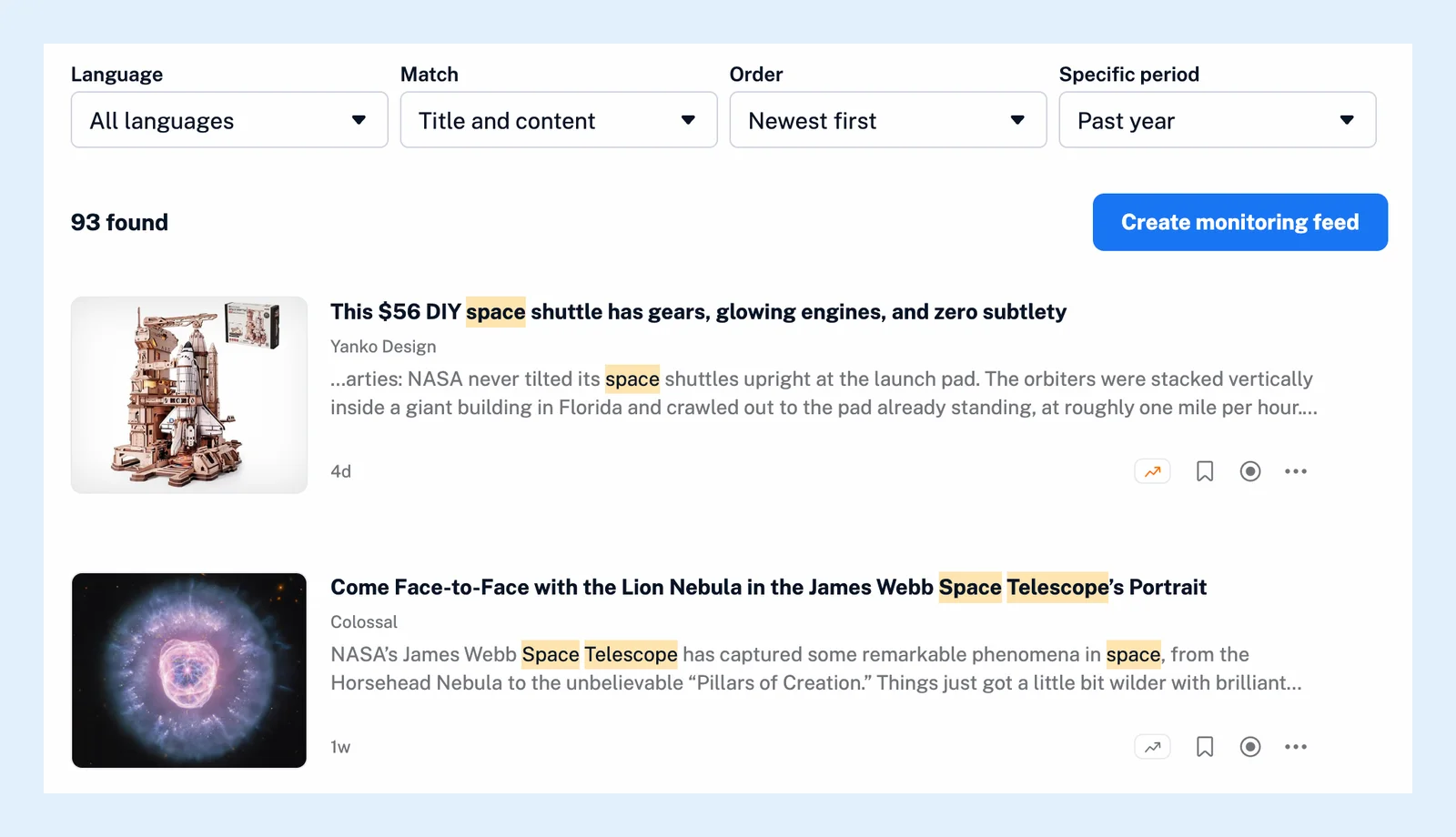
Use the four filters
- Language keeps All languages or narrows the results to articles in one language. This filter is a Pro feature.
- Match decides where your words must appear. Title and content is the default, Titles only searches the headlines alone, which is the quickest way to find a story you remember by its title, and Content only ignores the headlines.
- Order sorts the results. Newest first is the default, Oldest first reads a topic from the start, and Best matches first puts the articles that match your query most strongly at the top.
- Specific period sets how far back the search looks, one year unless you change it. Choose Past 24 hours, Past week, Past month, Past year or All time, or pick Custom interval and set a start and end date.
Narrow the scope
Where you search is a filter too. Under Search in on the Search page, pick one feed, folder or tag instead of your whole Newsfeed. With Pro, the All public feeds tab lets you choose All sites, Popular sites, Most popular sites or one of the featured collections of trusted sources on a topic. See how to filter Global search results.
Build a longer query
The icon in the search box opens the query builder, a form with the same filters that lets you combine words and phrases with AND, OR and NOT, as described in how to combine search conditions. When you turn a search into a monitoring feed, the scope, the language and the match filter go with it.
The basics are in how to search for articles in Inoreader and on the Search feature page, and why a search returns no results helps when a filtered search comes back empty.
Can't find an answer? Contact support