How do I search for articles in Inoreader?
Click Search in the tab bar, choose where to look under Search in, type your words and press Enter. Inoreader searches every article it collected from the feeds you follow, plus the articles you saved, tagged, annotated or uploaded.
Run a search
- Click Search in the tab bar.
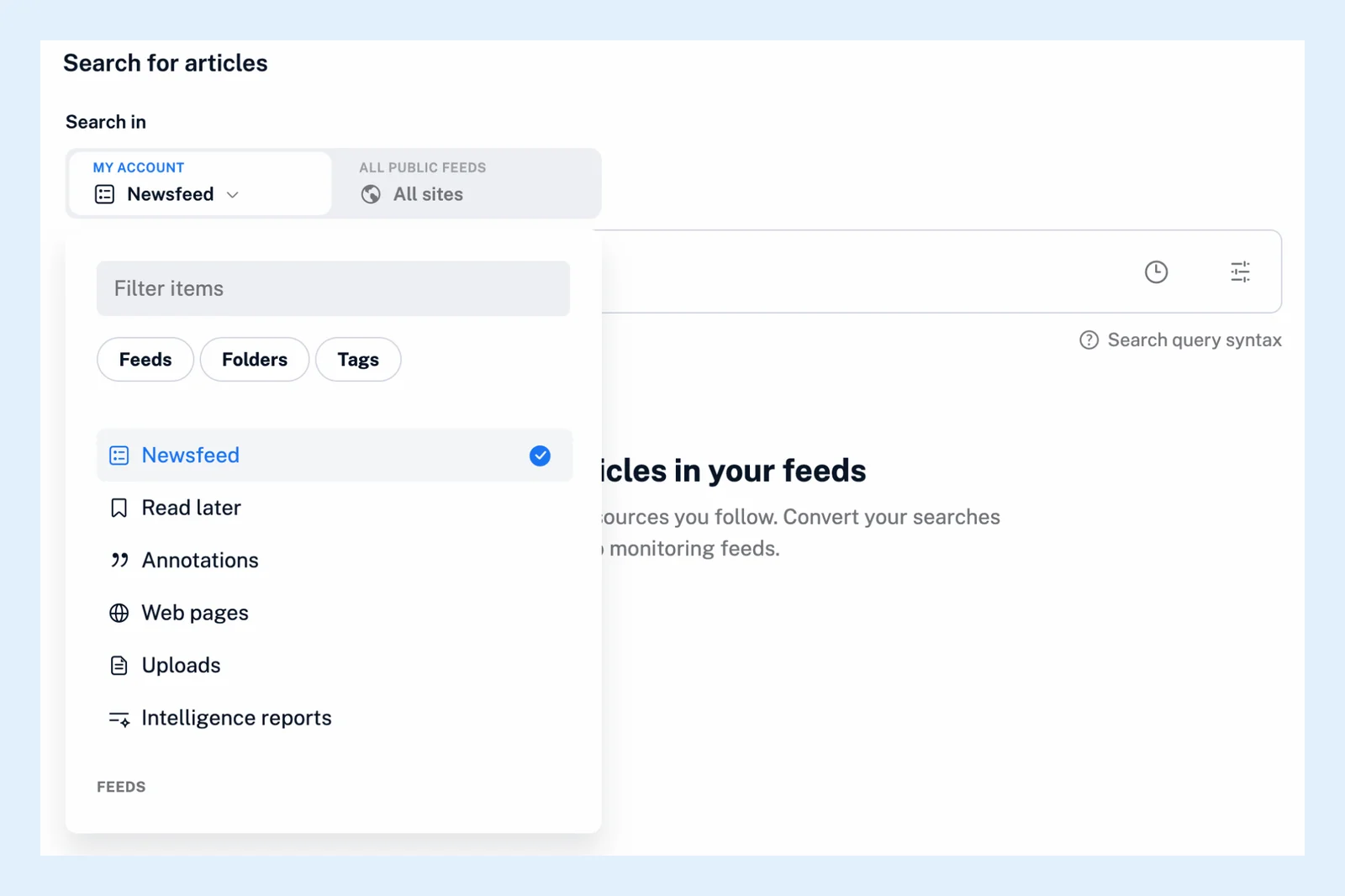
- Under Search in, keep My account to search what you follow and keep. With Pro, switch to All public feeds to search sources you don't follow.
- Pick the scope. Newsfeed covers all your feeds. The list also offers your feeds, folders, tags, monitoring feeds, Read later, Annotations, Web pages, Uploads and Intelligence reports, and Team folders and channels on Team plans. Type in Filter items to find one quickly.
- Type your words in the search box and press Enter.
The video shows a search from start to finish.
Words and operators
An article has to contain every word you type. Put a phrase in quotes to match it exactly, use OR when any of several words will do, and NOT to leave a word out. Search query syntax under the search box lists the operators, and the icon in the box opens the query builder, which writes the query for you from a form. See how to combine search conditions for examples.
Results
The newest articles come first, and the search looks back one year. The filters under the results change the language, the match (titles, content or both), the order and the period. See Can I filter search results? The clock icon in the search box brings back your recent searches.
Search inside a feed or folder
Open the feed or folder and use the search box at the top of its article list. The results are limited to that feed or folder, as described in Can I search within a specific feed or folder?
Keep receiving new matches
Once a search shows results, click Create monitoring feed next to the result count, give the feed a name and click Create monitoring feed in the dialog. From then on every new article that matches arrives in that feed. A monitoring feed watches your Newsfeed, a folder or a feed, so a search of any other scope becomes a feed of your whole Newsfeed.
Plans and limits
Searching your own account works on every plan. All public feeds, the language filter and monitoring feeds are Pro features. Pro includes 30 monitoring feeds. What is Global search? covers the public search, and the Search page the feature as a whole.
Can't find an answer? Contact support