How are duplicate articles detected?
Each new article from the filter's sources is compared with the articles the filter has seen within its comparison period: by an exact match of the URL, an exact match of the title, or, for nearly identical titles, by the share of words the two titles have in common. The earliest copy stays, and the later match is hidden.
The three methods
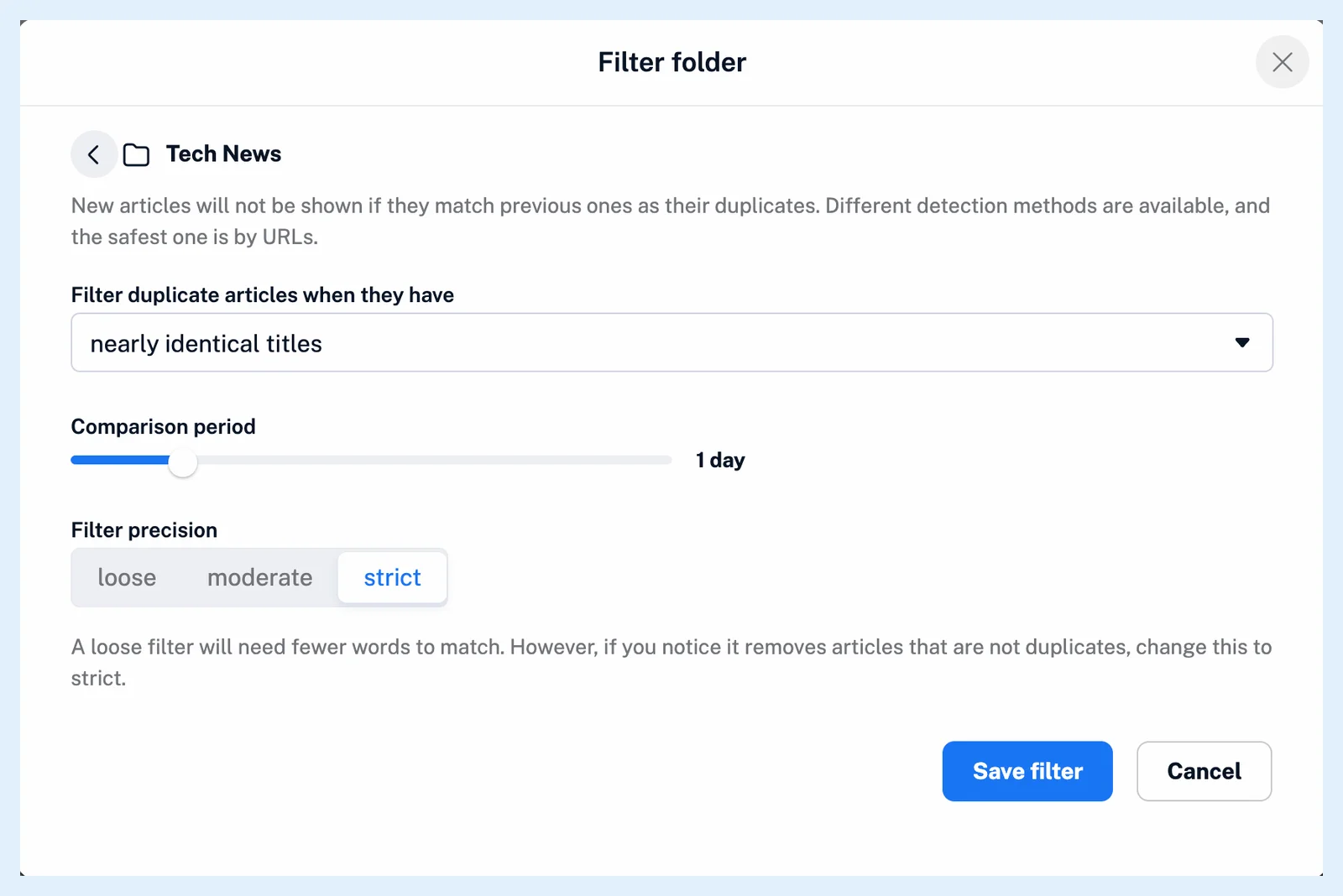
the same URL compares the article's full address with the addresses of the earlier articles and matches only when they're identical, which makes it the safest option. the same title needs the titles to match character for character. nearly identical titles looks for titles that share most of their words: at least 70% of them on loose, 80% on moderate and 90% on strict precision. The two titles must also be of similar length, at most 30% apart in their number of words, and short titles of five words or fewer (seven on strict) must have exactly the same number of words.
The comparison period
Only articles newer than the Comparison period are compared: 6 or 12 hours, 1 to 6 days, 1 to 3 weeks or 1 month, with 1 day as the default. The comparison stays inside one filter's sources: the feed, folder, monitoring feed or Newsfeed it covers.
What happens to a match
The earliest matching article is the one kept. The newcomer is marked read and hidden for you, and rules skip it afterwards. When you save the filter, it checks the recent articles of its sources within the period, so existing copies are removed at once. The filter log lists each Original article with its Filtered duplicates. Open it from the Removed today count in Automate > Filters or the View log icon in Feed properties > Automations.
Tune the filter
A copy that stays has a different URL or title: syndicated copies often carry tracking parameters or a reworded headline, so switch to nearly identical titles or set a longer period. Articles that aren't copies disappear when the precision is too loose: set it to strict or use the same URL. Change a filter from the ⋯ menu of its row in Automate > Filters with Edit filter, or under Advanced options in Feed properties > Automations.
Filters are a Pro feature. What are duplicate filters? has the setup, Where can I create and manage filters? the Filters page and What are filters? the two kinds.
Can't find an answer? Contact support