Where can I manage my integrations?
Connected services are in Preferences > Share, save, login, where each row has Connect, or Edit with Reconnect and Disconnect once connected. Apps you authorized through OAuth, such as automation platforms, are listed under Authorized applications on the Mobile apps page, each with Revoke access.
Connect or disconnect a service
- Click the gear at the bottom of the tab bar and open Share, save, login.
- Pick a tab: All, Share, Save or Login.
- Click Connect next to a service, or Edit on a connected one to change its options, Reconnect or Disconnect.
The Save tab holds the apps you save articles to: Raindrop.io, Evernote, OneNote, Instapaper, Dropbox, Google Drive and Readwise. Dropbox and Google Drive also receive backups of your OPML subscriptions, which you switch on under Preferences > Account > Export and backup, see Can I export my subscriptions and content?. The Share tab lists the services you follow content from: Facebook, Bluesky, VKontakte and YouTube, where YouTube sync keeps your subscriptions in step. The Login tab lists Google, Facebook and Apple as sign-in accounts.
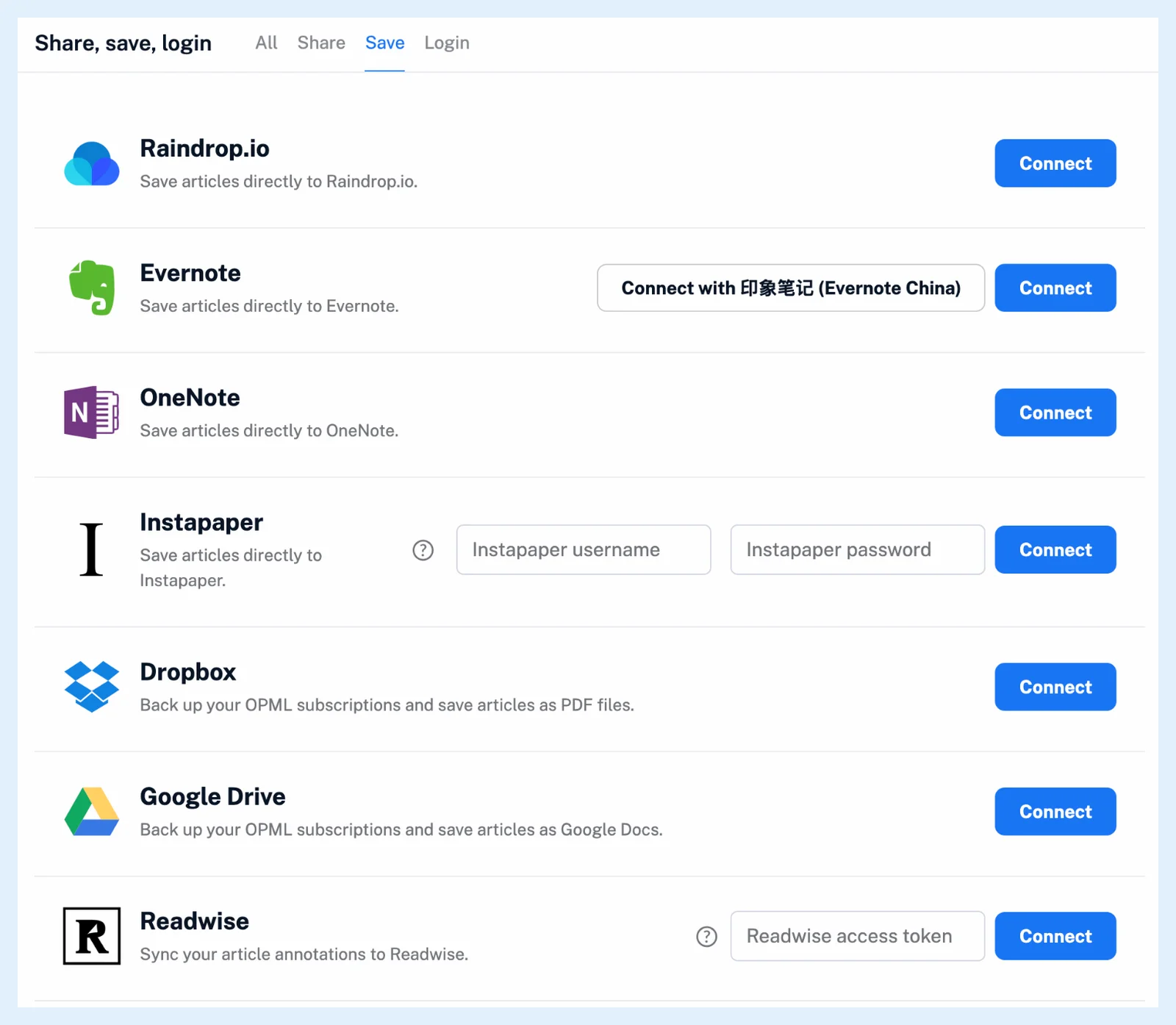
Edit opens the row with its status, your profile photo and the service's options, such as the Instapaper folder, the Evernote notebook or whether Raindrop.io receives your article tags. Disconnecting Google also disconnects it as your sign-in account, so Inoreader warns you first. A rule action for a service you haven't connected yet offers to connect the account and opens this section.
Revoke an app you authorized
- Click the Support icon at the bottom of the tab bar and choose Mobile apps.
- Under Authorized applications, click Revoke access next to the app and confirm.
Revoking removes the app's access to your account, so it stops working until you connect it again. IFTTT signs in this way and appears there, see Can I integrate Inoreader with other automation services?. Your own API applications live under Preferences > Developer API, next to the other account settings.
Saving to services works on every plan, while sending articles with rules, YouTube sync and the Bluesky integration are Pro features.
Can't find an answer? Contact support