What are output feeds?
An output feed is a public address that publishes the newest articles of one of your folders or tags, so another reader, a website or a tool can follow what you collect. Switch Output feeds on in the folder's or tag's properties and you get an RSS feed, a JSON feed and an HTML clip, and for a folder an OPML file of its feeds too.
What an output feed contains
A folder's feed lists the newest articles of the feeds in it, read or unread. A tag's feed lists the articles you tagged, newest first. Each item carries the title, link, content, date, author, enclosures, your tags and the source feed, 20 items at a time and up to 1,000 on request. What formats can I use to share or export content and subscriptions? compares RSS and JSON with the HTML clip and OPML.
Where to switch it on
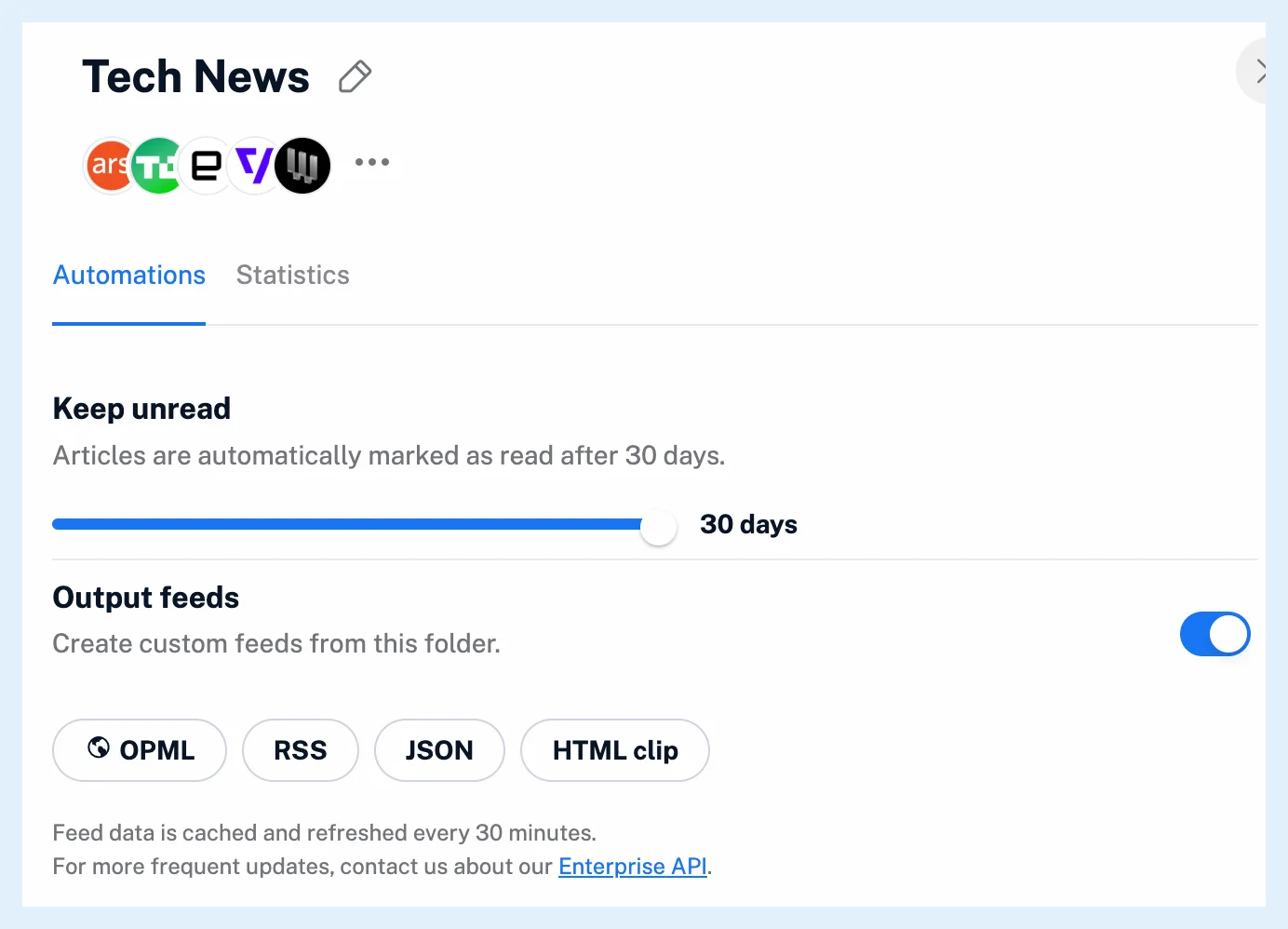
Right-click the folder or tag in the sidebar and choose Folder properties or Tag properties. On the Automations tab, switch Output feeds on, and the OPML, RSS, JSON and HTML clip buttons become active. The same switch exists for every folder, tag and system folder in Preferences > Content, so the Newsfeed, Annotations, Saved web pages, Uploads, Intelligence reports and All tagged articles can be published as well. How do I create an output feed? has the steps.
Good to know
Anyone with the address can read the feed without signing in, so publish only what you want to be public. The address carries the folder's or tag's name, so renaming it changes the address and the old one stops answering. Feed data is cached and refreshed every 30 minutes, and when you switch Output feeds off, the address stops answering at once.
A rule that assigns a tag to matching articles gives you a curated feed that fills itself, see What are rules?. For a Team folder, a Team admin switches the feed on, and it needs the Team's plan. The blog post Share your personal feeds and HTML clips shows an example.
Output feeds are a Pro feature, and the feeds of an owner who is no longer on Pro show a single item saying the feed is suspended.
Can't find an answer? Contact support