Can I increase the limit on a specific feature?
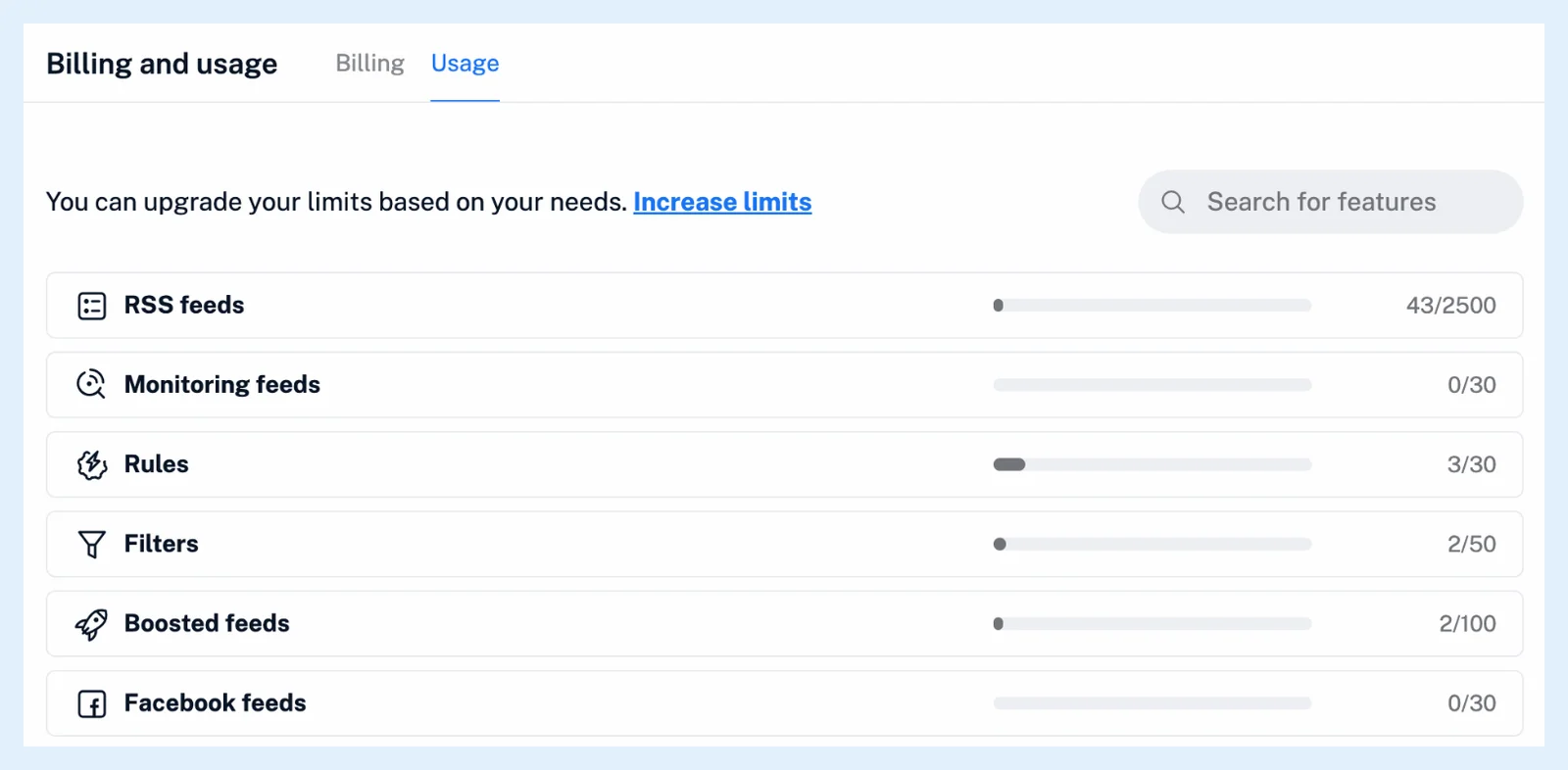
Yes. Go to Preferences > Billing and usage > Usage and click Increase limits. You pick add-ons for the features you need more of, and Inoreader turns your plan into a Custom plan: Pro plus the add-ons, paid monthly or annually.
Check your usage
The Usage tab lists one row per feature with a bar and the number you use against your limit. Pro includes 2,500 feeds, 20 Web feeds, 30 rules, 50 filters and 30 monitoring feeds.
Build a Custom plan with add-ons
- Click the gear in the tab bar and open Billing and usage.
- Open the Usage tab and click Increase limits.
- Click Choose your add-ons, pick a feature, then pick the amount, for example + 20.
- Review the total, then click Purchase plan with selected add-ons, or Save for later to keep the plan without paying yet.
- In the payment dialog, choose annual or monthly and pay.
The menu offers Feeds (+1,000, +2,500 or +5,000), Web feeds, Rules, Monitoring feeds, Filters, Bluesky, Facebook, Telegram, VK and Newsletter feeds (+20, +50 or +100 each), Boosted feeds (+100, +200 or +500), Email digests (+5 or +10), Intelligence tokens (+1M, +2M or +5M), Intelligence reports and API calls (+1,000, +2,500 or +5,000). Each row shows its monthly price, and the dialog shows the total. Two add-ons get 10% off the add-ons, three or more 15%, and annual payment costs 12 months less 5%. Prices don't include VAT, as Why does the final price differ from the listed price? explains.
The Intelligence tokens add-on resets on the 1st of each month, and unused amounts don't roll over. The Intelligence reports add-on includes 5M Intelligence tokens per month. The base limits are in How many rules are included in Pro plans? and How many Intelligence tokens are included in the Pro plan?.
If you have an ongoing subscription, its unused value comes off the first payment, as What happens when I upgrade an existing subscription? describes.
Team and Custom plans
Add-ons are for any account except Team plans and accounts already on a Custom plan. There, Increase limits opens the contact form, since Team limits are shared across the team as How do shared feature pools work? explains.
Can't find an answer? Contact support