How many filters are included in Pro plans?
Pro includes 50 filters per account, and content filters and duplicate filters share that pool in any mix. Every filter you have counts, switched off or not. You see your usage in Preferences > Billing and usage under Usage and add more with Increase limits.
See your usage
- Open Preferences > Billing and usage and its Usage tab to see the filters you use out of 50.
- To raise the limit, click Increase limits. The add-on adds filters in steps of 10, up to 120 in total.
A usage bar under the list in Automate > Filters shows the same count and warns you when you're close to the limit and when you've reached it. Can I increase the limit on a specific feature? covers add-ons in general.
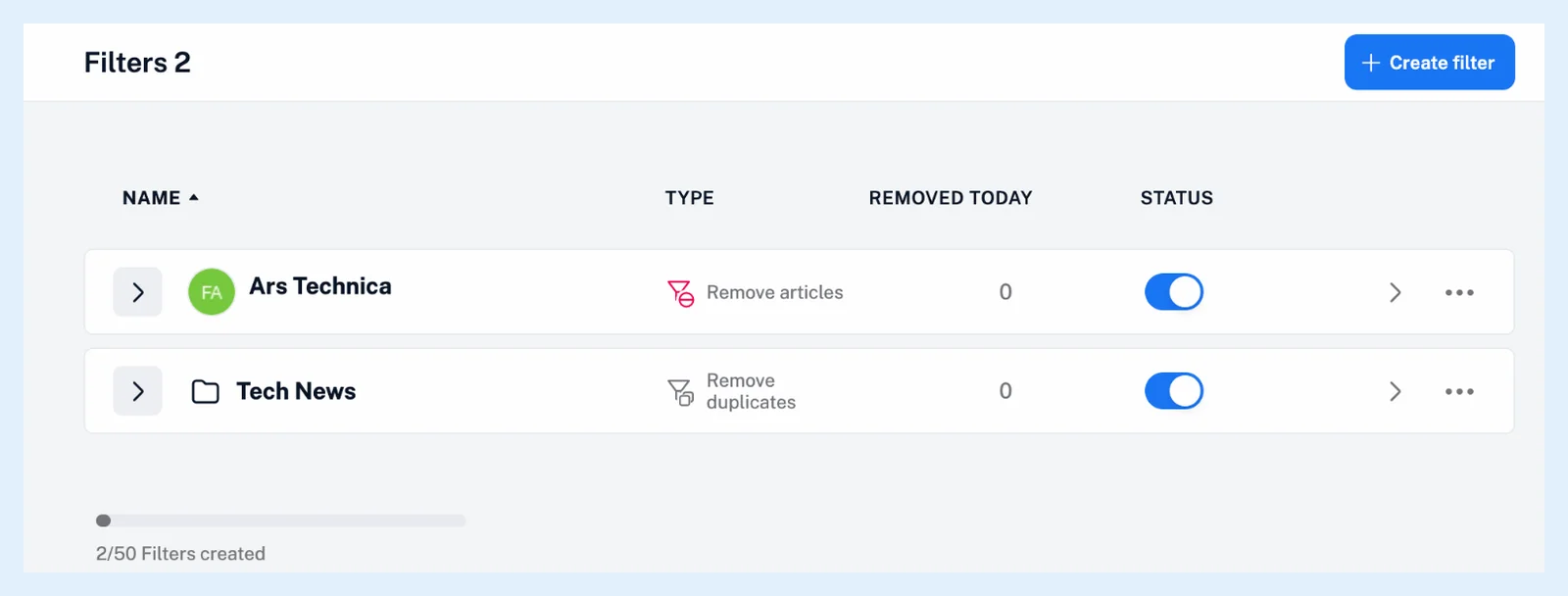
Reach the limit
At the limit, a new filter is refused with "You have reached maximum allowed number of Filters!". Switching a filter off doesn't free its place, so delete the filters you no longer need, or merge conditions into one filter per feed or folder: a source holds one content filter anyway. Team plans with shared limits pool filters across the team, 100 on the first tier and 150 on the second, and a member at the pool limit sees "Your Team has reached the maximum allowed number of Filters under the current plan."
What doesn't count
The Remove YouTube Shorts switch of a feed or folder is a separate Pro setting and takes no filter. Rules have a limit of their own, 30 in Pro, which How many rules are included in Pro plans? covers.
Filters are a Pro feature, and Free includes none. The one pool of 50 replaced the separate limits for content and duplicate filters, as the blog post New combined filter quotas announced. What are filters? explains the two kinds.
Can't find an answer? Contact support