Can monitoring feeds track content from my account?
Yes. Under Monitor in, the My account tab limits a monitoring feed to the feeds you follow: all of them (Newsfeed), one folder, one feed or, on Team plans, a team folder. The feed then collects every new article from those feeds that matches the query.
Tags, saved articles, annotations, uploads and Intelligence reports can't be a monitoring feed's scope. You can search them on the Search page, as Can I search only within my own account? describes.
Choose the scope
- Go to Add feed > Monitoring feed and build the query.
- Under Monitor in, stay on My account and click the current choice (Newsfeed).
- Pick Newsfeed, a folder under Folders, a feed under Feeds or a team folder under Team folders. Type in Filter items to find one.
- Check the Preview, then click Create monitoring feed and save it.
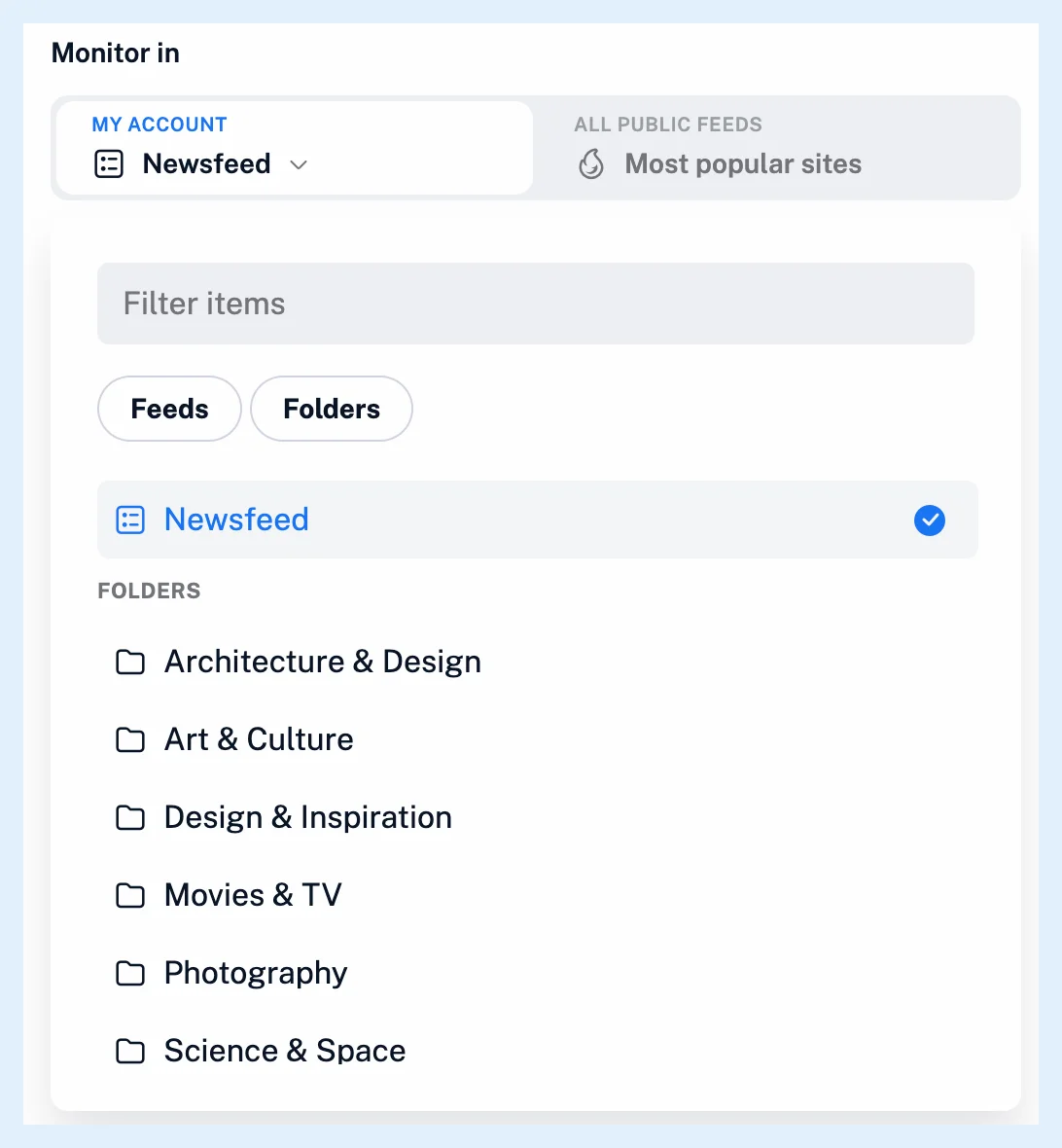
The scopes
Newsfeed is every feed you follow yourself, not the ones shared with you through a team. A folder scope covers the feeds in that folder, a feed scope that one feed and a team folder scope the team folder's feeds. The scope follows your changes: when you follow or unfollow a feed or move one into the folder, the monitoring feed takes it into account. A folder or feed that no longer exists falls back to Newsfeed the next time you edit the feed.
A monitoring feed over a team folder belongs to the team, and only the person who created it can edit its query.
The collected articles
Only articles that Inoreader collects after the feed exists are added, plus the articles the preview found when you created it. The preview itself shows matches from the past year. A keyword is matched as an exact phrase in the title and content, and a mention matches the articles in which Inoreader recognized it: English, German and French articles from feeds with 50 or more followers or at least one Pro follower, and web feeds.
When you start from a search over a tag, your saved articles, Annotations, Web pages, Uploads or Intelligence reports and click Create monitoring feed, the new feed watches your whole Newsfeed instead.
To hide or keep articles by keyword in a feed you already follow, a filter is the better tool. What are filters? explains them.
Plans and limits
Creating a monitoring feed needs Pro, which includes 30, with a shared limit on Team plans. Free accounts can build and preview a query. How do I create a monitoring feed? has the whole procedure, Can monitoring feeds track content beyond my account? covers sources you don't follow, and the feature page Watch any keyword, brand or topic across the web has an overview.
Can't find an answer? Contact support