What are monitoring feeds?
A monitoring feed is a saved search that runs as a feed. You describe what to watch, choose where to look, and every new article that matches is added to the feed as Inoreader collects it.
Use one to keep track of people, brands, companies, emerging trends and events without searching for them again and again.
The parts of a monitoring feed
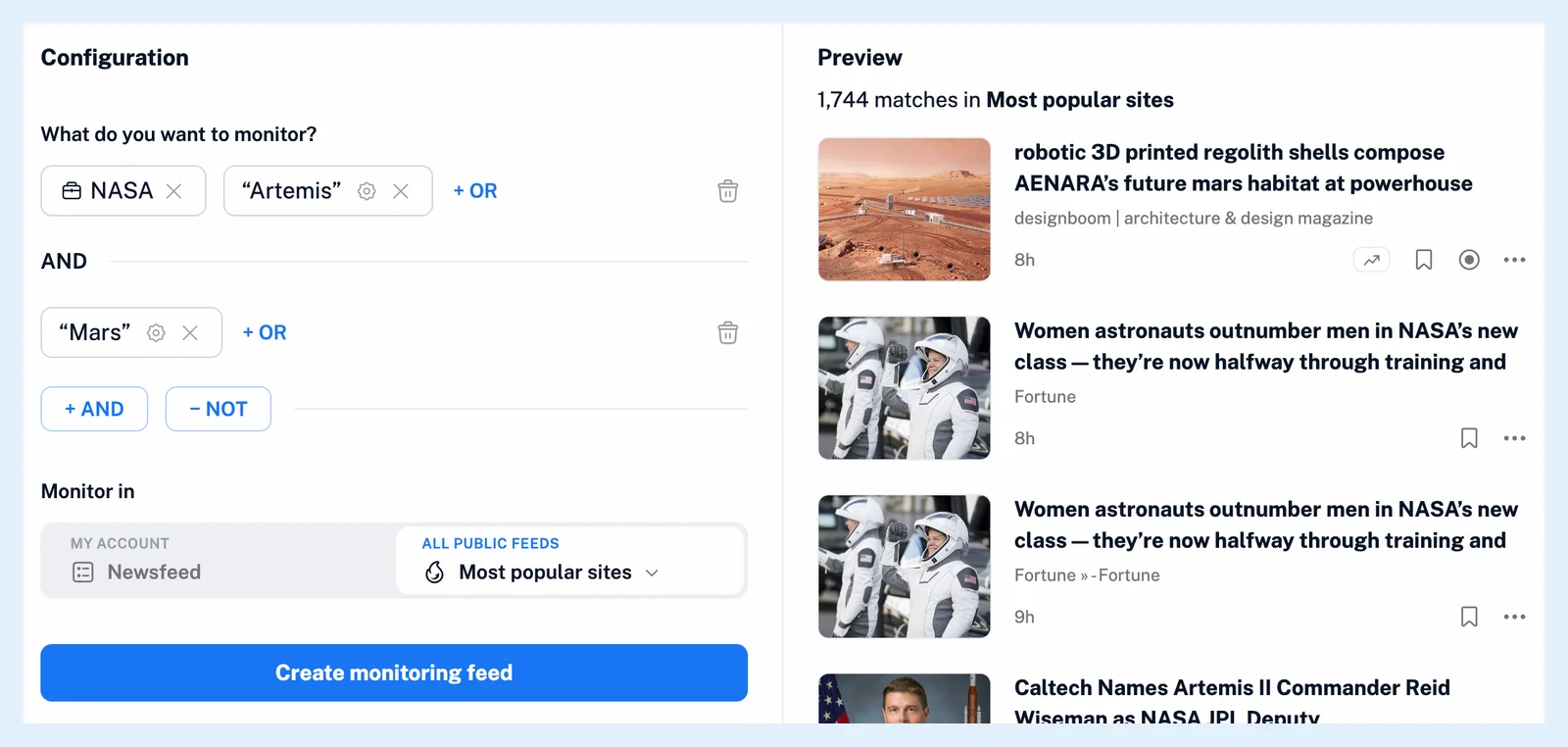
The query is built from items. A keyword is matched as an exact phrase in an article's title and content. A mention is a company, person, place, product or event that Inoreader recognized in the article, so it matches even where the name is spelled differently. Mentions are recognized in English, German and French articles. Items in one group are alternatives, every group must match, and anything in the Exclude group drops the article. What are mentions? explains the entities.
Monitor in decides where the feed looks: My account watches your Newsfeed, a folder, a feed or a team folder, and All public feeds watches the public feeds Inoreader collects, in All sites, Popular sites or Most popular sites. Can monitoring feeds track content from my account? and Can monitoring feeds track content beyond my account? describe the two.
Receive new articles
Every article Inoreader collects is checked against every monitoring feed, and a match is copied into the feed. Only articles collected after the feed exists arrive this way. When you create it, the feed starts with the articles the preview found, up to 100. The matched words are highlighted in the articles while Highlight keywords in your preferences is on, which it is by default.
A monitoring feed may not collect more than 100 articles an hour. A query that would is refused when you save it, so narrow a broad term with another group or a smaller scope.
Use it like any feed
A monitoring feed sits in the sidebar like any other feed: put it in a folder, rename it, search it, make it the trigger of a rule or the source of an email digest. How do I create a monitoring feed? walks through the builder, and Can I edit a monitoring feed later? covers changing the query.
Plans and limits
Creating a monitoring feed needs Pro, which includes 30. Team plans share 150 or 200 across the team. On Free you can build and preview a query five times, with three articles each, and then Start Pro trial or Upgrade to Pro. The feature page Watch any keyword, brand or topic across the web and the blog post Introducing Mentions, redesigned search and smarter monitoring feeds have more.
Can't find an answer? Contact support