How can I contact the Inoreader support team?
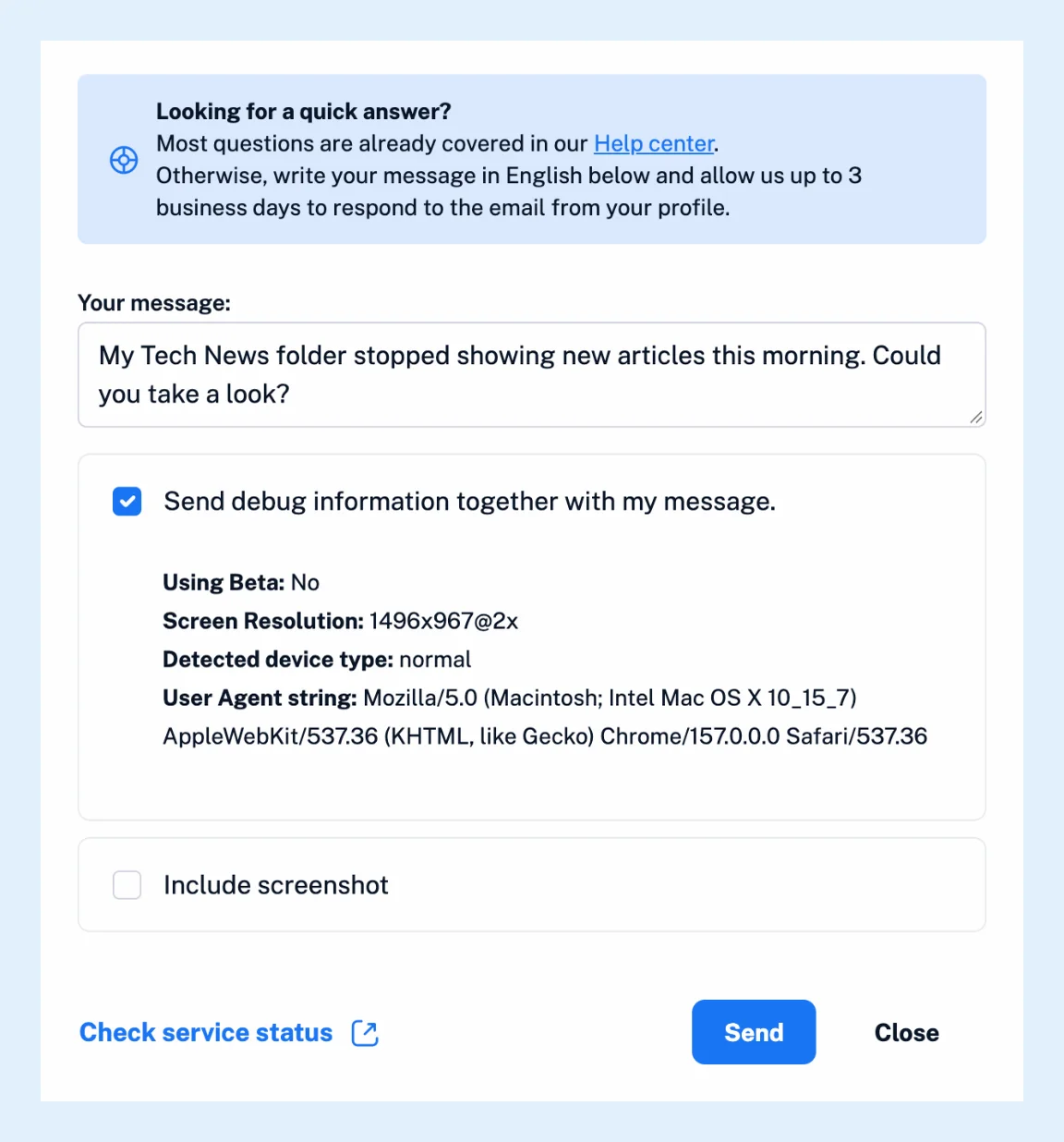
In the web app, click Support at the bottom of the tab bar and choose Contact support. The Contact us dialog sends your message to the support team as a ticket, and the answer arrives at the email address of your Inoreader account, within three business days.
Send a message
- Click Support in the tab bar, then Contact support.
- Write your message in English under Your message. Say what you did, what you expected and what happened instead. For a problem with a feed or an article, paste the address of the feed or the page and the title of an example article.
- Leave Send debug information together with my message ticked. It adds your screen size, device type and browser, which saves a round of questions.
- Tick Include screenshot to attach a picture of your current screen, and click the preview to edit it before you send.
- Click Send. Inoreader confirms that your request was received and emails you the ticket details.
Check before you write
The Check service status link in the dialog opens the status page, which shows whether a problem is on our side right now. Most questions are already answered in the help center, for example why a feed has stopped updating or why a paid subscription isn't showing, so a search there is often faster than a ticket.
Make sure your email address works
The dialog sends only when the email address of your account is confirmed and valid, because the answer goes there. Otherwise it shows a notice with a link to fix it.
Mail to qq.com and yahoo.co.jp addresses is refused by those providers, so use another address for support.
Contact support without signing in
Use the contact form at inoreader.com/contact, which asks for your name and email address, or write to [email protected] from the address of your account. If you can't sign in because the reset email never arrives, see why you're not receiving the password reset email.
Can't find an answer? Contact support