Can I test a rule before saving it?
No. Run rule saves the rule first and then applies it to up to 1,000 of the newest articles from the last 30 days, performing every action on the matches. To try conditions safely, give the rule a harmless action, such as Assign tag with a test tag, run it, check the result, and add the actions that send email or notifications afterward.
What Run rule does
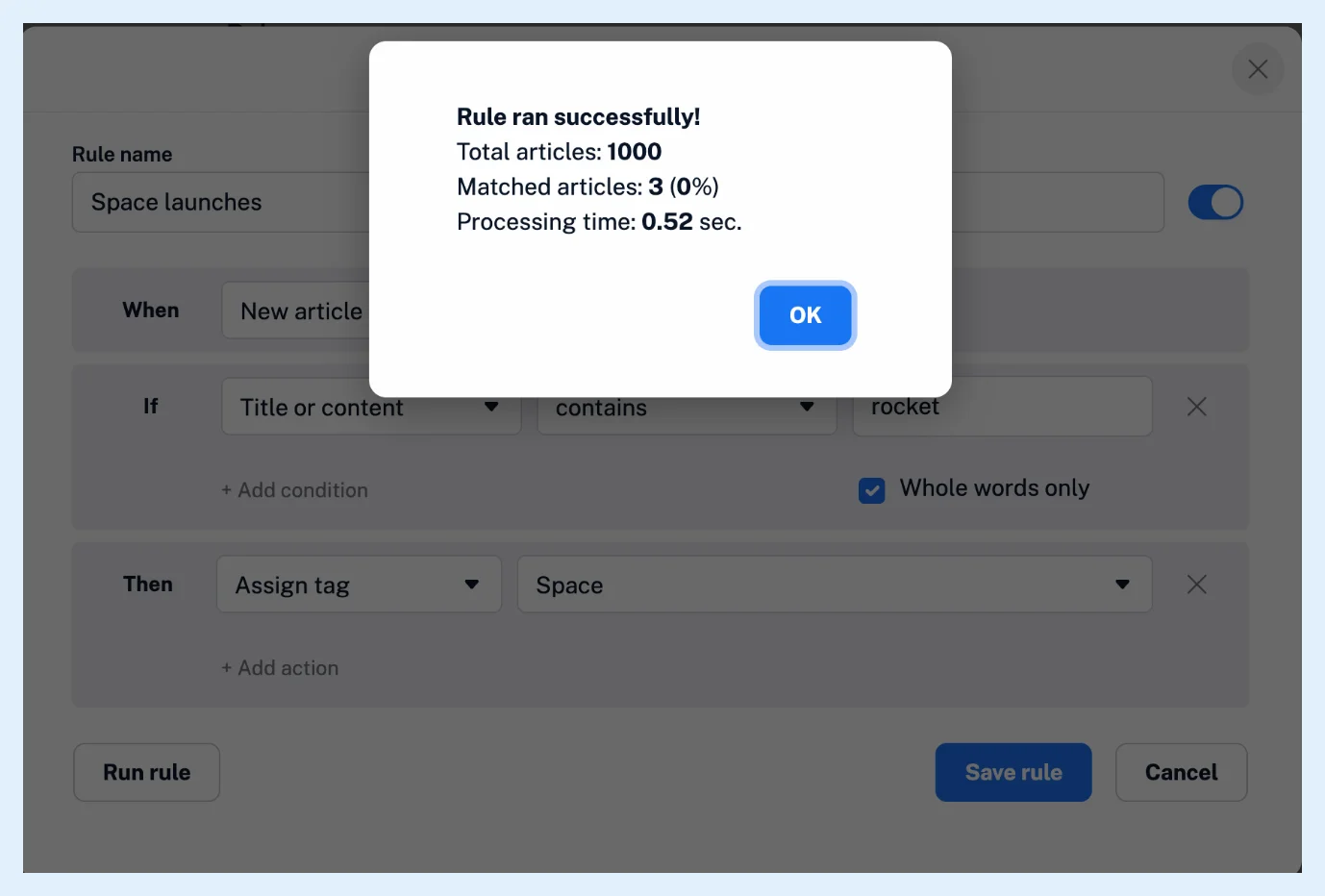
Run rule sits at the bottom of the rule dialog, next to Save rule. Before it runs, Inoreader tells you that the rule will be saved first and applied to at most 1,000 recent articles from the past month, and that actions such as emails, notifications and sends to services are limited per service during the run. It works for rules triggered by the account, a folder or a feed. For other triggers it ends with "There was a problem processing your rule!". Afterwards, "Rule ran successfully!" shows the total articles checked, the matched ones with their share and the processing time. The play button in Automate > Rules runs a saved rule the same way.
Every action runs on every match: tags are assigned, articles marked read, notes added, summaries and translations queued. Keep email, push, webhook and service actions out of a rule until its conditions are right.
Try a rule safely
- Create the rule with its trigger and conditions and only a harmless action, for example Assign tag with a new tag such as "Rule test", or no action at all.
- Click Run rule and confirm.
- Read the numbers in "Rule ran successfully!", then open the test tag, or click the number under Matches today in Automate > Rules to see the matched articles in the rule's Log.
- Adjust the conditions and run again until the matches are right.
- Replace the test action with the real ones and click Save rule.
A manual run doesn't add to the rule's total match counter, but its matches appear in the rule's log and under Matches today. What conditions can rules use? helps when the matches are too many or too few, and Why is my rule not triggering? when there are none.
Running rules is Pro. Free and Supporter accounts see Upgrade now instead. What are rules? explains their parts, and Where can I create and manage rules? the Rules page.
Can't find an answer? Contact support