Can one rule perform multiple actions?
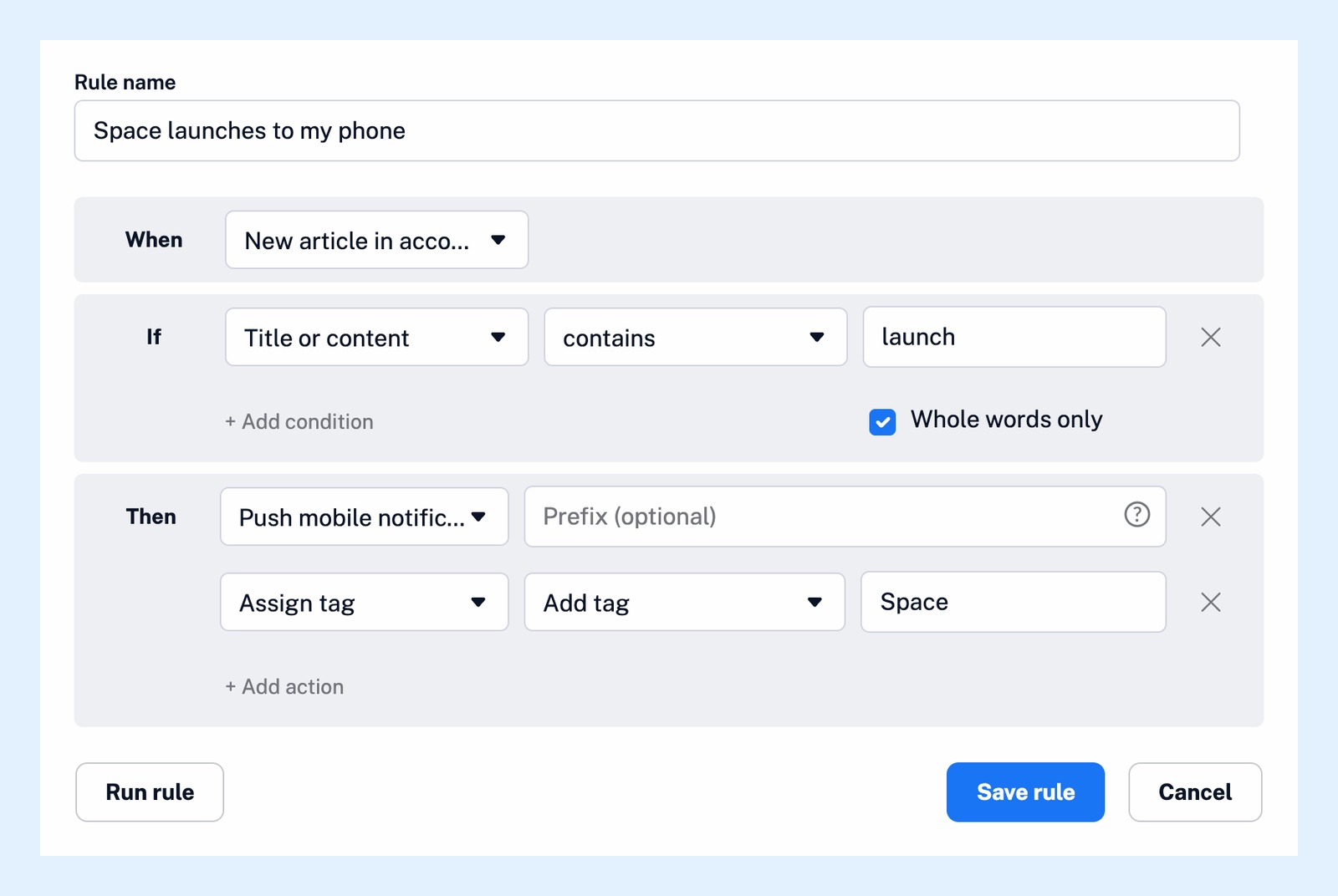
Yes. Click + Add action once for each action, and every matching article gets all of them. The actions run independently and not always in the order you listed them, so a step that must wait for another belongs in a second rule triggered by Another rule matched.
Add several actions
- Open the rule, or click Create rule in Automate > Rules.
- Under Then, click + Add action, pick an action and fill it in.
- Click + Add action again for each further action. The ✕ at the end of a row removes it.
- Click Save rule.
A rule can hold the same kind of action twice, for example two tags, and up to 999 actions. Tags, Mark as read, desktop alerts and notes happen at once. Email, push, webhook, Team channel and service sends, summaries and translations are queued and done in the background. What actions can rules perform? describes what each one asks for.
Chain rules when the order matters
To email the translated version of an article, the translation has to finish before the email leaves, which one rule can't guarantee. Put the two steps in two rules:
- Create the first rule with the trigger and conditions and the action Translate article.
- Create a second rule and pick Another rule matched under When.
- Pick the first rule in the menu next to it. Only your other switched-on rules are offered.
- Add the action Send to email, and conditions of its own if the second rule should narrow the matches further, then click Save rule.
When the first rule has Translate article, the second rule waits until the translation is done, so its email, push, summary or webhook carries the translated article. A chain stops after ten rules in a row, and a rule that would trigger itself can't be saved: Inoreader refuses it as a circular dependency. A rule with no action at all is allowed and is useful as the first step of a chain. What can trigger a rule? lists the other triggers.
Each rule in a chain counts toward your plan's rule limit.
Rules are a Pro feature. What are rules? explains the three parts of a rule, and Can translations be automated? covers the translation action and its daily limit.
Can't find an answer? Contact support