Where can I find my annotations?
Click Saved in the tab bar and choose Annotations in the sidebar. Every article you highlighted or wrote a note on is listed there, latest annotation first.
Open any of those articles and its highlights and notes are in the Annotations panel above the text, as What are annotations? describes.
Open the list
- Click Saved in the tab bar, or press G and then F.
- Click Annotations in the sidebar.
- Open an article to see its highlights and notes in the Annotations panel above the text.
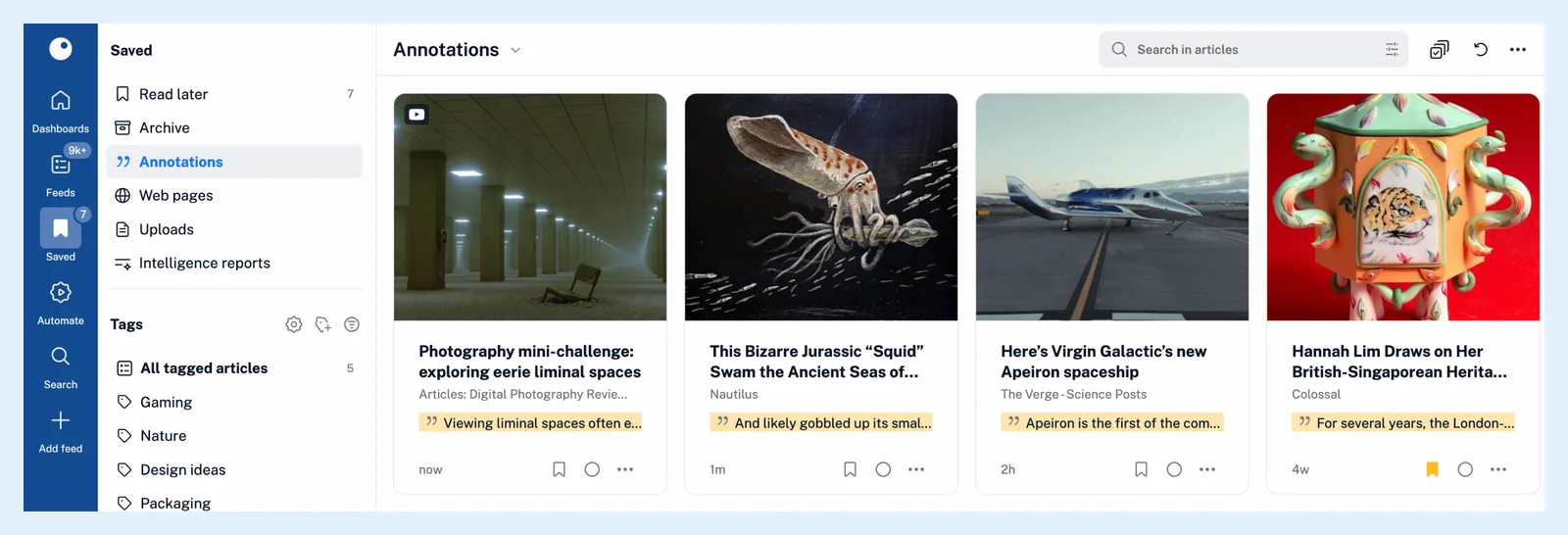
The list is ordered by the time of your latest annotation, so the article you worked on last is at the top, and the time on each card tells you when you annotated it. Each card previews the first highlight of the article. Quick access, which opens when you press ., lists Annotations marked Saved as well. The section is open on every plan, while the highlights in it are a Pro feature.
Jump to a passage
Inside an article, Scroll to highlight on an entry in the Annotations panel takes you to the highlighted passage in the text. When Readwise is connected, the entry also carries a View in Readwise.io link to the same highlight there.
Search your annotations
The Search page lets you search within your annotated articles: choose Annotations as the scope, and your notes are searched together with the article text. The query builder offers the same source. How do I search for articles in Inoreader? explains the Search page.
Team and apps
On a Team plan the team's sidebar has its own Annotations section with the highlights and notes shared by the team, and quick access lists it as Annotations marked Team. Where can I find shared highlights and notes? has the details.
The iOS and Android apps have an Annotations section too, and you can make it available offline for reading without a connection.
If the list is empty, you haven't annotated anything yet. Open an article, select a sentence and click Highlight text, or add a note with Add note below the text, as the Annotations page shows.
Can't find an answer? Contact support