What should I do when I join a Team?
Click Team in the tab bar. It opens the Team dashboard and the Team sidebar, where you follow the Team folders you need, find the channels you were added to and see the Team tags that are already in your account.
An account belongs to one Team. Accepting the invitation adds you with the role it carries, Member or Admin, puts you in every channel you were invited to and sends you a welcome email. Team tags are copied into your account together with the articles already tagged in them. Team folders aren't followed automatically, so following them is your first step. Anything only admins can change is marked "This option is available only to Team admins" or hidden. What is my Team sidebar, and what can I find there? walks through the sidebar.
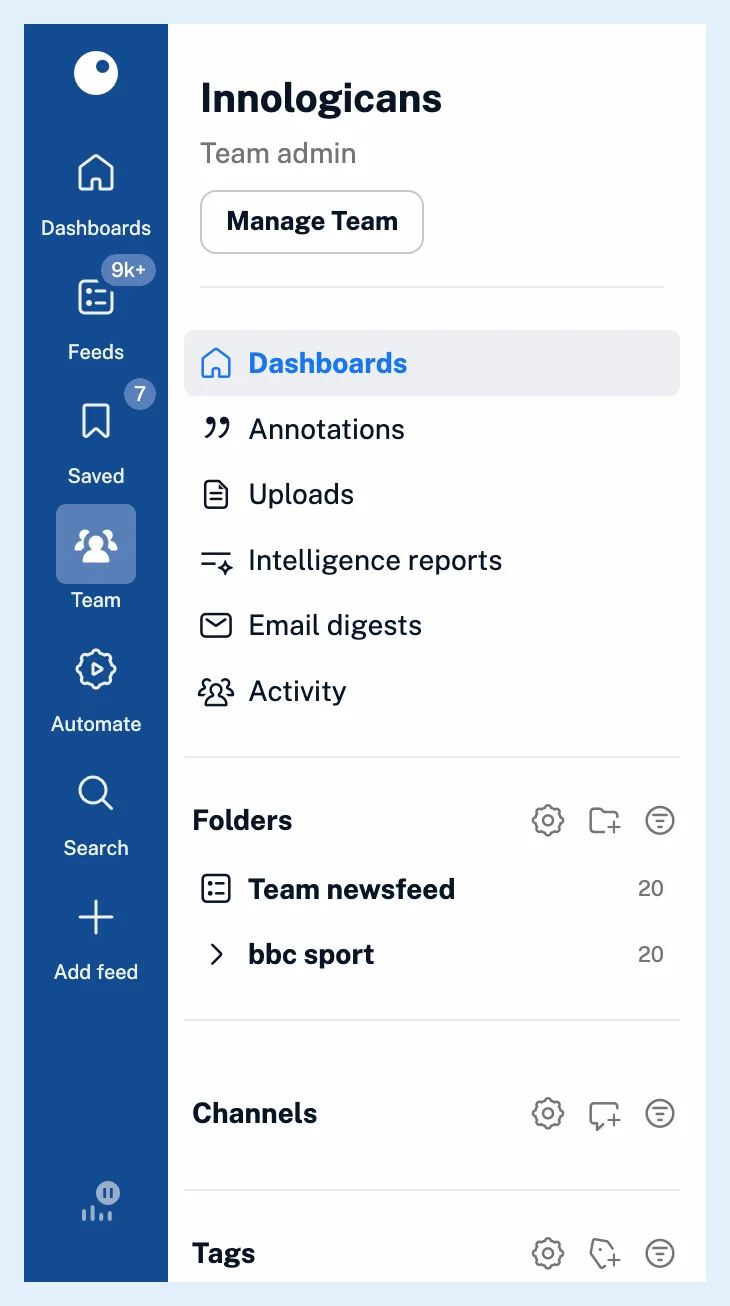
Follow the Team folders
- Click Team in the tab bar.
- Click Manage Team in the Team sidebar, then Content > Folders.
- Click Follow on each Team folder you want to read.
Following copies the folder and all its feeds into your account, under Folders in the Team sidebar. An admin can also follow a folder for you from Folder members. What are Team folders? explains how a Team folder stays in sync.
Check your channels
Your channels are listed under Channels in the Team sidebar. You can't join a channel yourself: an admin of the Team or of the channel adds you. Open a channel's ⋯ menu and, under Notifications, turn New shared article and Comments on or off.
To share an article, click Share with Team in the article toolbar or press S, pick the channels under Select channel and add a note. How do I share an article with my Team? has the details.
Use the Team tags
The Team tags sit under Tags in the Team sidebar, and every member can create one with New Team tag, the tag icon next to the heading.
Plans
Teams are on the Team and Team Intelligence plans, and every member gets all Pro features, as What features do I get as a Team member? lists. The blog post Introducing new collaboration features for Inoreader Teams shows the newest additions.
Can't find an answer? Contact support