Can I customize how summaries work?
Yes. Under Preferences > Intelligence > Article summaries you choose where the Summarize button sits, write an Assistant persona, pick the Default language of the answers and manage your prompts. The Platforms tab picks the AI that writes them.
Open the settings
Go to Preferences > Intelligence, or click Customize at the bottom of the Summarize menu. The tabs are Article summaries, Intelligence reports and Platforms, and the note at the top links to Billing and usage for your monthly token usage, as Where can I check my Intelligence access and usage? describes.
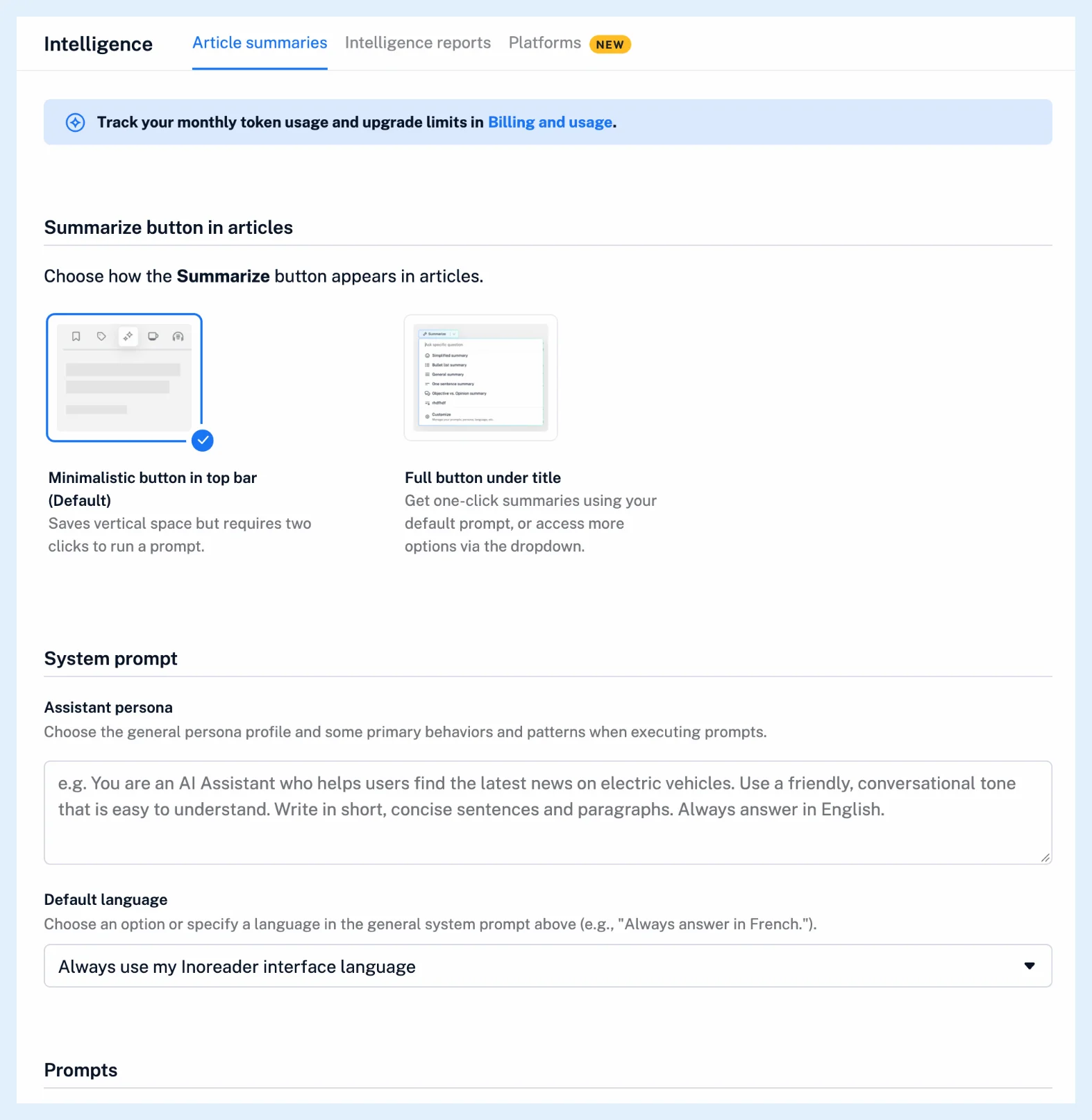
Choose the button style
Under Summarize button in articles, Minimalistic button in top bar, the default, is an icon in the article's toolbar that opens the prompt menu. Full button under title puts a Summarize button under the article's title that runs your default prompt in one click, with a dropdown next to it for the other options.
Write a persona and pick a language
Under System prompt, the Assistant persona describes who the assistant is and how it should answer, for example a friendly tone and a focus on electric vehicles. Click into the box, write at least three words and click Save. The persona is added to every built-in and saved prompt, but not to a one-off question typed in Ask specific question.
Default language offers Let Inoreader decide, Try to answer in the article's original language and Always use my Inoreader interface language, which is the default. A language you ask for in a prompt or question wins over this setting, so a persona ending in "Always answer in French." works too.
Manage the prompts
Under Prompts, select the Default prompt, use the pin icon under Show in dropdown to choose which prompts the menu shows, drag rows to reorder them and click Add custom prompt to save your own. The built-in prompts can't be edited or deleted. Can I use custom prompts with summaries? describes saving prompts in detail.
Choose the AI platform
On the Platforms tab, pick OpenAI, the default, Mistral or Claude (Anthropic). Using your own API key and model needs the Intelligence reports add-on or a Team Intelligence plan. Which AI platforms does Inoreader support? lists them.
Plans
These settings are part of Pro, and Free and Supporter accounts see the tab with a Pro notice and disabled controls. The Intelligence feature page shows everything Pro adds.
Can't find an answer? Contact support