How do I generate a summary?
Open the article and click the Summarize icon in its toolbar, then pick a prompt such as General summary or type a question and press Enter. The summary appears in a card above the article's text.
Generate a summary
- Open an article in the reading panel.
- Click the Summarize icon in the article's toolbar.
- Click a prompt, for example General summary or Bullet list summary, or type a question in Ask specific question and press Enter.
- Read the summary in the card above the article text, where Copy to clipboard and Delete summary are at hand.
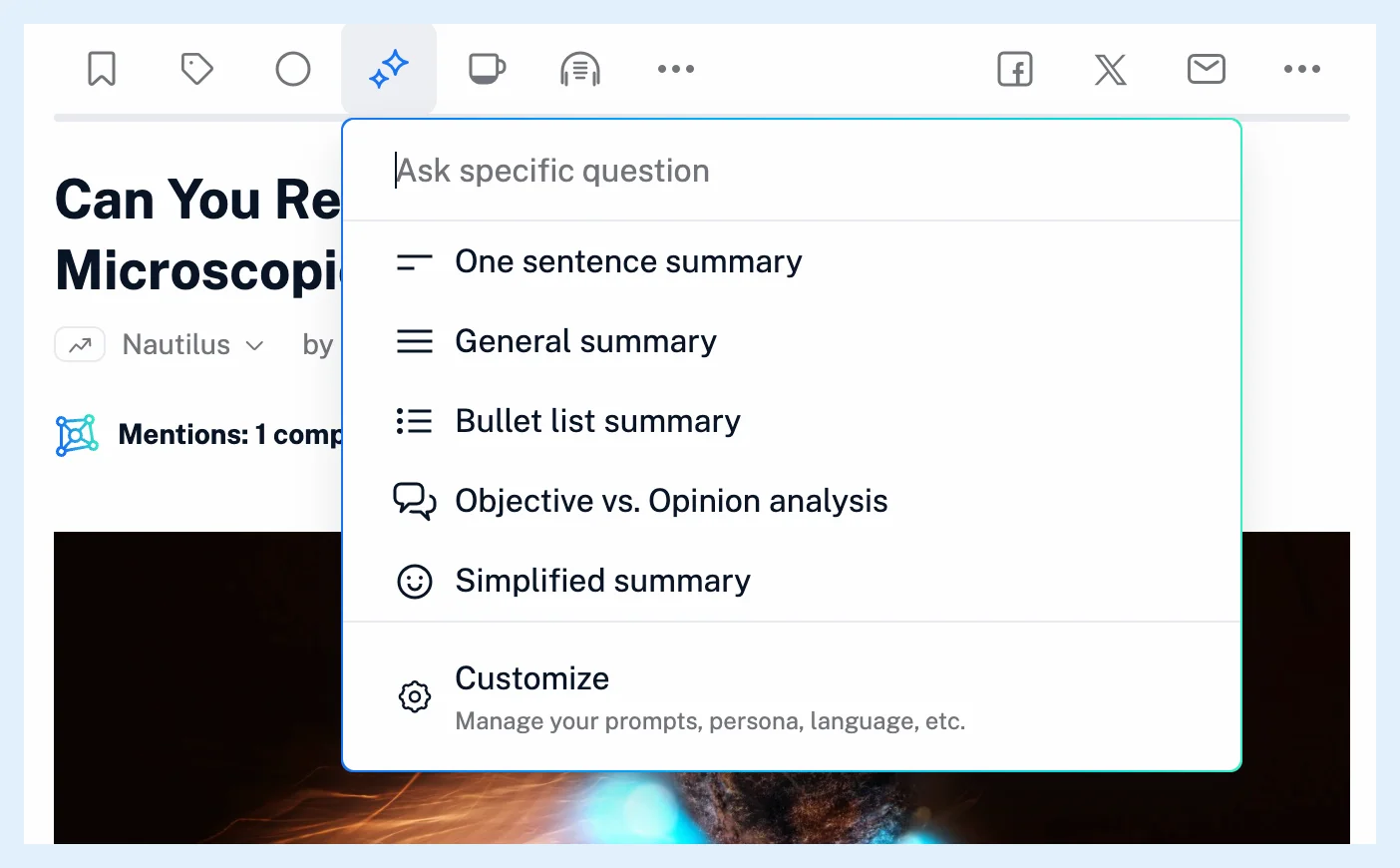
A typed question needs at least three words. While Inoreader works, a placeholder card with the prompt's name appears above the text, and the finished summary replaces it.
Run your default prompt with one click
By default the button is an icon in the article's toolbar that opens the prompt menu. If you'd rather summarize with a single click, go to Preferences > Intelligence > Article summaries and choose Full button under title. A Summarize button then sits under the article's title and runs your default prompt at once, and the arrow next to it opens the menu. Customize at the bottom of the menu opens the same preferences. Can I customize how summaries work? covers the default prompt, the persona and the language.
What to expect
The five built-in prompts are One sentence summary, the default, General summary, Bullet list summary, Objective vs. Opinion analysis and Simplified summary, and What are article summaries? explains what each one asks for. The same prompt runs once per article, so to see a different take, pick another prompt or ask a question. On a YouTube video or a podcast episode, the summary is made from the transcript, which is generated first when needed.
A publisher can refuse AI features on its content. Summarize is then not offered on that publisher's articles.
To summarize new articles without clicking, give a rule the action Create summary, as described in What actions can rules perform?.
Plans
Summaries are part of Pro, which includes 1,000,000 Intelligence tokens a month, and on a Free or Supporter account the Summarize control invites you to upgrade instead. The Intelligence feature page shows everything Pro adds.
Can't find an answer? Contact support